• Skip to primary navigation
  • Skip to main content
  • Skip to footer
Printing for Less

Printing for Less

At Printing for Less, we've offered high quality online printing services since 1996. Shop business cards, booklets, stickers, and more!

My LoginMy Login
800-930-2423
  • Printing
    • Postcards
    • Business Cards
    • Catalogs
    • Brochures
    • Folders
    • Letters
    • Newsletters
    • Envelopes
    • Greeting Cards
    • Print Templates
    • All Products
  • Direct Mail
    • Why Direct Mail Marketing?
    • Every Door Direct Mail® Postcards
    • Direct Mail Letters
    • Catalogs & Booklets
    • Marketing Gifts & Kits
    • Direct Mail Automation
  • Services
    • Mailing Services
    • Pro Services
    • Design Services
    • Custom Printing Services
    • Reseller Program
  • Industries
    • Advertising & Design
    • Food & Beverage
    • Healthcare Payers
    • Healthcare Providers
    • Nonprofit
    • Real Estate
    • Retail
    • Technology
    • University
  • Resources
    • Direct Mail Marketing
      Resource Center
    • Printing Resource Center
    • Blogs
    • Templates
    • Video Library
    • Have a Question?
  • Get Samples
  • Holiday Shopping
  • Get a Quote

Marketing

Leveraging Direct Mail Throughout the Customer Lifecycle

Printing for Less’s Essential Guide To: Leveraging Direct Mail Throughout the Customer Lifecycle

With modern direct mail, you can make every connection during the customer journey count. That is “More Than Mail.”
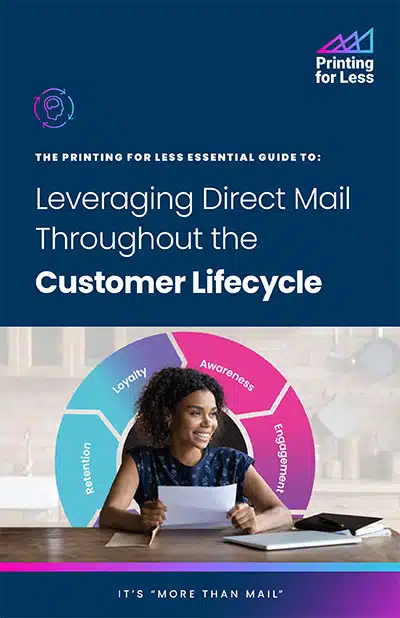
Leveraging Direct Mail Throughout the Customer Lifecycle

“More Than Mail” is a bold challenge to the status quo of direct mail marketing. For too many, direct mail is synonymous with outdated, one-way communication that comes with complicated processes, a high cost, and an environmental toll. But, in reality, direct mail is a versatile, engaging, and dynamic force in modern marketing.

Direct mail can serve as a powerful tool across every stage of the customer lifecycle, and it all begins by identifying opportunities for improvement in customer experience areas and gaps that need to be filled.

Embrace the power of direct mail and unlock its potential to enhance every step of your customer’s journey.

In the realm of modern marketing, direct mail is a versatile medium that has the potential to elevate your brand, captivate your audience, and drive tangible results.

If you’re looking to create memorable moments that extend far beyond the mailbox—“More Than Mail”—Printing for Less’s marketing solutions offer a comprehensive approach to achieving your marketing goals throughout the customer journey.

Fill out the form on this page to download your copy of our e-book today.

Download the E-Book
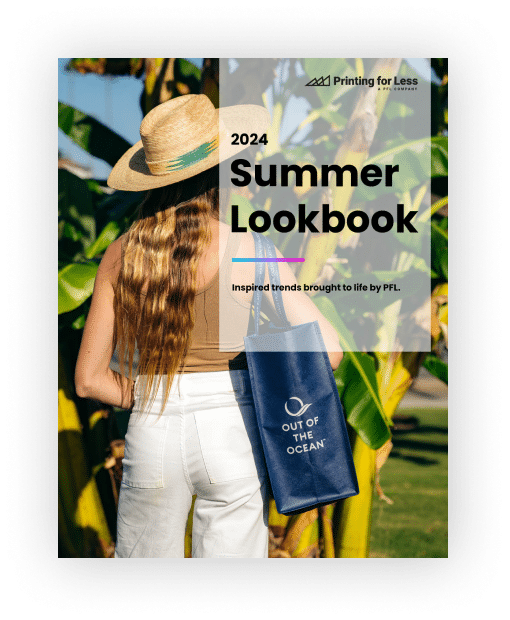
Get Our 2024 Summer Lookbook

2024 Summer Lookbook

This Summer, Find Direct Mail Solutions That Deliver.

2024 Summer Lookbook

Whether you want retail brands that support great causes, need products made with eco-friendly materials, want to support a small business… or all three—here’s a catalog of products that will help you create direct mail solutions that deliver.

Fill out our form to download a copy of the Lookbook.

How to Set Up and Submit Canva Print Files

How to Set Up Canva Files for Print, Export and Use Printing for Less Templates in Canva

Canva is a popular tool used by everyone from designers to marketers, and we’ve created a guide to help you seamlessly submit your design files. This comprehensive resource ensures that your creations transition smoothly from screen to print, maintaining the integrity of your vision every step of the way. Whether you’re fine-tuning a business card or crafting a full-scale marketing campaign, our guide is here to make your process as straightforward as possible. Start exploring today and elevate your Canva projects to professional-quality prints!


How to set up files to start designing in Canva:

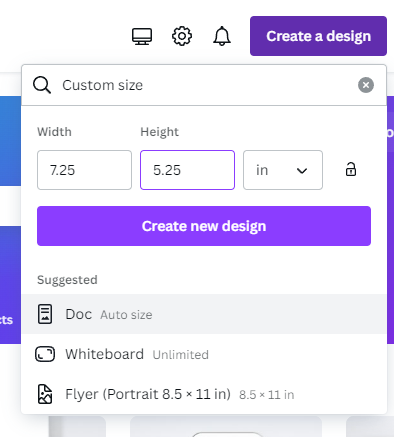
After logging in to Canva, select ‘Create a design’ and choose the ‘Custom’ option.

Before entering your desired dimensions, ensure the measurement is set to inches. Add an additional 0.25 inches to both the width and height of your document. This extra 0.25 inches accounts for bleed, which will be trimmed off during printing, ensuring no white space remains around the edges of your printed piece.

For example, if you need a 5” x 7” postcard, enter 5.25” x 7.25” as the dimensions to include bleed.

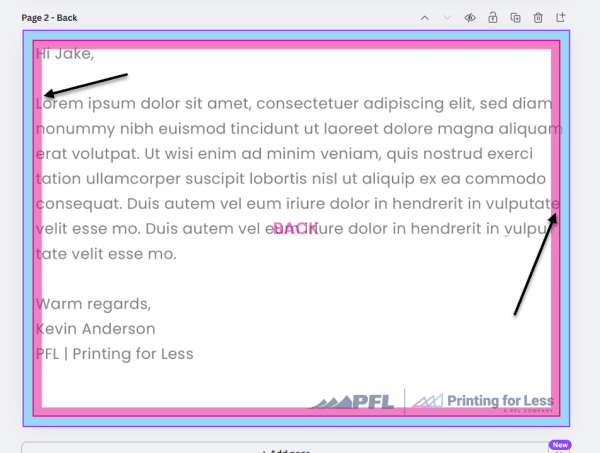
*Please ensure that critical elements within your artwork, such as text or QR codes, do not extend to the edge of your artboard. We require a .125 bleed on all sides for trimming purposes. Additionally, we recommend maintaining a .125 ‘safe zone’ inward from each trim edge.

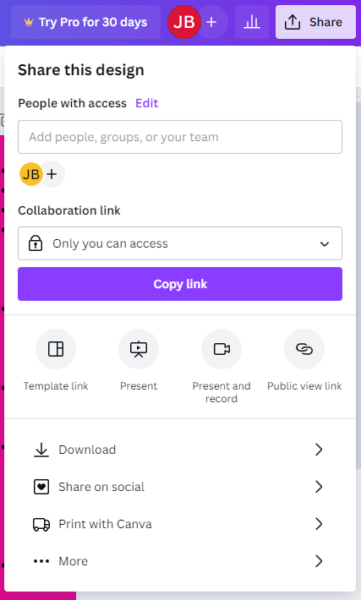
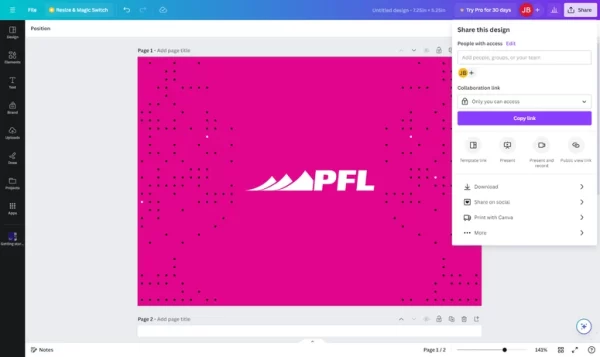
When you’ve finished designing, please follow these steps to export print-ready files:

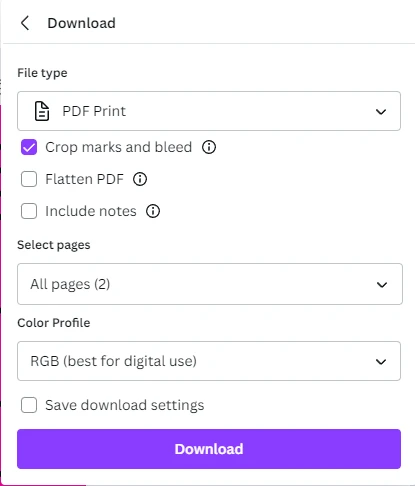
When you’re in the download area change the settings to:

  • File type: PDF Print
  • Check: “Crop marks and bleed”
  • Select Pages: Select “All pages” (unless there are additional pages that you do not intend to be printed).
  • Color: Select “RGB (best for digital use)” unless you have Canva Pro, then select CMYK
    • If you do not have Canva Pro, Printing for Less can convert the color space from RGB to CMYK for you. Please note that some colors may shift slightly during this conversion.

Finally, select to download your file, and now you’re ready to upload your file to your Printing for Less portal.

Tips for creating in Canva:

Use images that are 300 DPI or higher for optimal image quality.

Please be aware that when using images of text, low-resolution images can significantly impact legibility and may result in blurriness.


Using Printing for Less Templates for Document Design

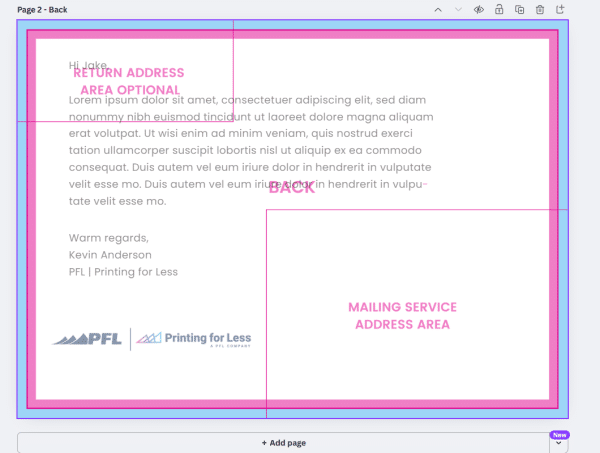
Printing for Less offers templates for documents of any size to help you create print-ready files with precision. These templates clearly indicate two important areas:

  • Bleed Area (blue): This is the portion that gets trimmed off during printing.
  • Safe Zone (pink): Keep all critical elements (like text and logos) within this area to prevent accidental trimming.

Templates are especially helpful in ensuring your design doesn’t extend past the trim edge or sit too close to it. Some templates also include a designated mailing address area, which must remain completely clear of any artwork and must be 100% white to comply with USPS regulations.

Mailing Template

Using Templates in Canva

To ensure the template functions correctly, your design file must be set to the proper size, including a bleed (an extra 0.25″ added to both the width and height). If the file is at the correct size the template will work how it should.

If you’re working in Canva and need a template, request a transparent PNG template. If we know you’re using Canva, we’ll typically send a PNG version by default. If not, please let us know you need one.

To use the template in Canva:

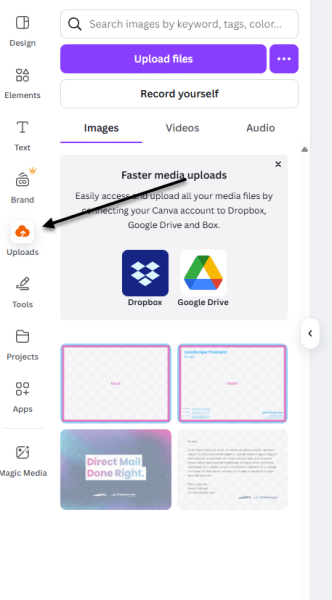
  1. Go to the Uploads tab and click Upload Files.
  2. Locate and upload the template file.
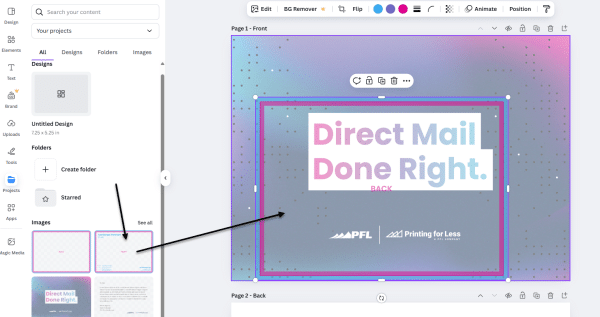
  3. Once uploaded, drag the template onto your design.

Upload Files

File Upload

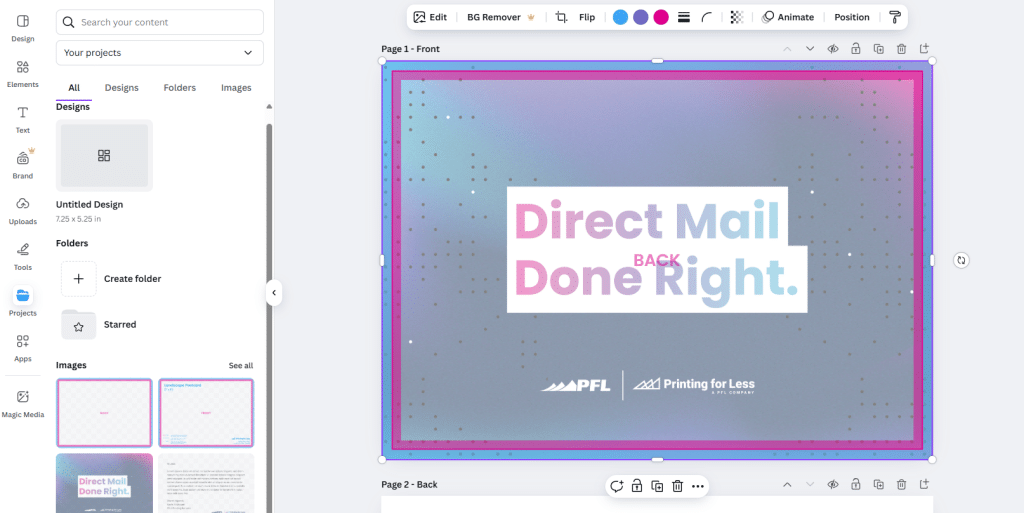
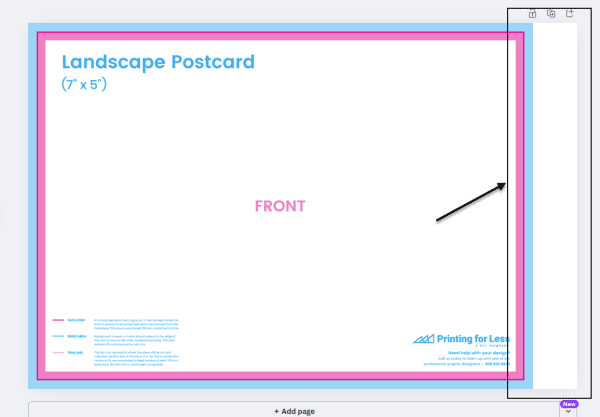
4. Resize it to match your document using the corner handles only to maintain proportions. The blue bleed edge should align exactly with the document’s outer edge.

Drop File Over Art

Drop File Over Art

Resize Template

Resize Template

Important: The template must be removed before final submission. It’s for your reference only; we apply mailing and folding templates on our end, optimized for our production system.

Common Issues

Bleed and Safe Zone Violations:
In the example below, text appears within both the blue (bleed) and pink (safe zone) areas. Text in the blue area will be cut off, and text in the pink area is at risk. Be sure to move any critical content out of these zones.

Bleed and Safe Zone Violations

Bleed-Safezone Violation

Incorrect Document Size:
Another common issue is a mismatch between your file size and the template. For example, applying a 5″x7″ template to a 6″x9″ document won’t work. If your template doesn’t fit your design:

  • If you need a different size template, contact us and we’ll provide the correct one.
  • Double-check the dimensions of your file.
  • If your file is the wrong size, resize it to match the template.

File Too Large for Template

File Too Large for Template

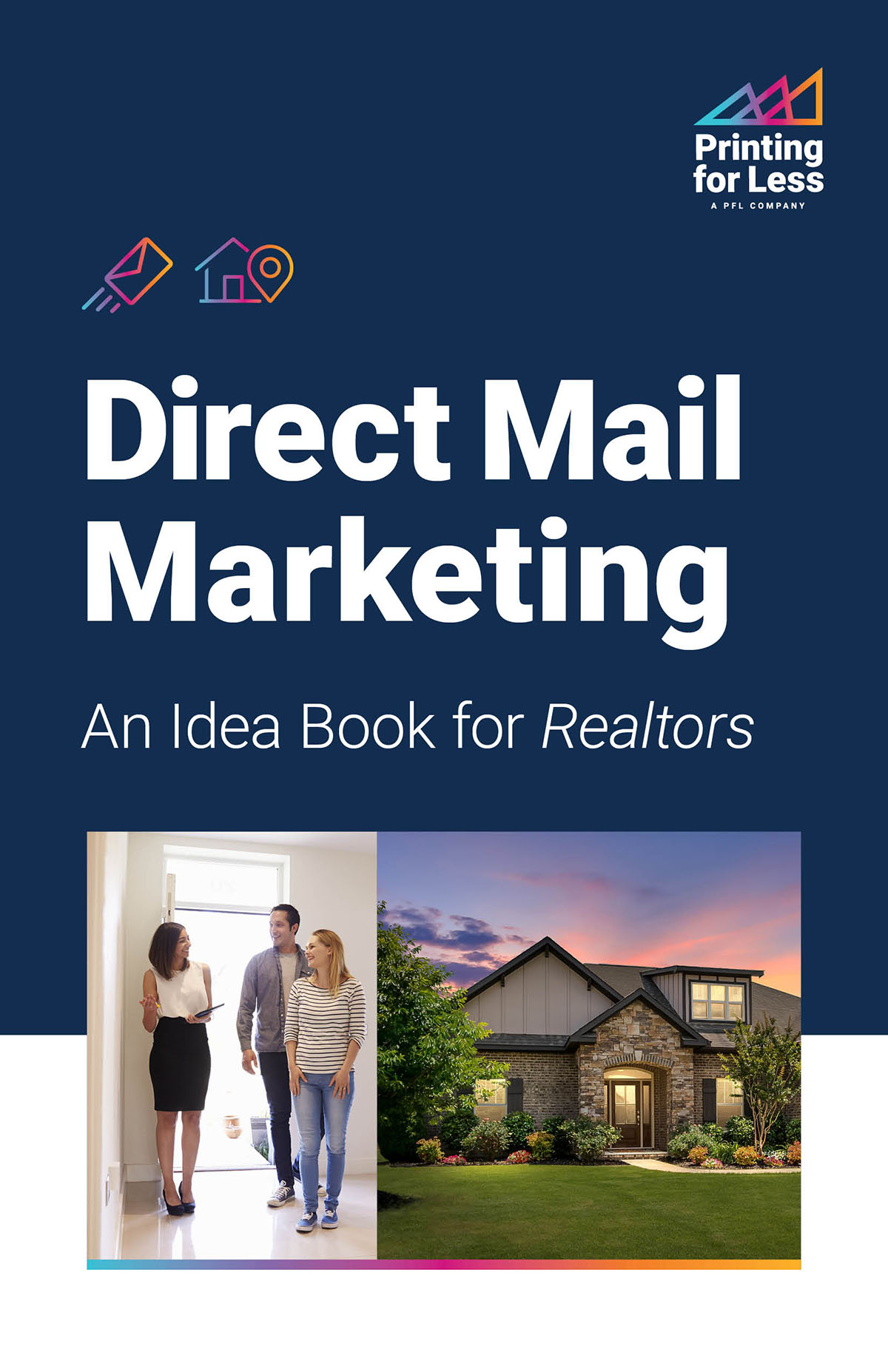
Direct Mail Marketing: An Idea Book for Realtors

Direct Mail Marketing: An Idea Book for Realtors

Opening Doors to Real Estate Success

Real Estate Idea Book

In the ultra-competitive world of real estate, standing out is crucial. Our Direct Mail Marketing Idea Book for Realtors might be just the key you need to unlock success. Did you know that direct mail boasts an impressive 90 percent open rate, compared with just 21 percent for email? This Idea Book is packed with innovative yet tried-and-true strategies to help you capture attention and grow your business. Download it now to discover how Printing for Less can provide everything you need to make a lasting impression on both current customers and potential clients. This is your door to real estate success.

Download the Idea Book Now.

Get Our 2024 Winter Lookbook

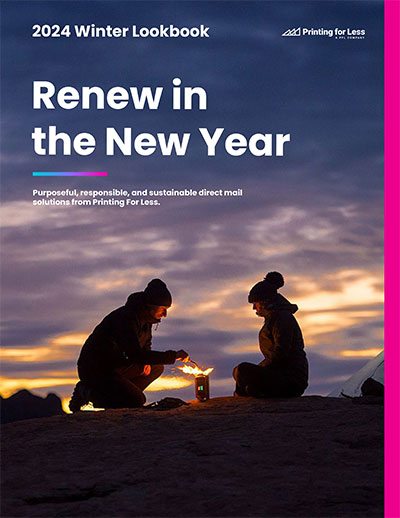
2024 Winter Lookbook

This Winter, Find Direct Mail Solutions That Deliver.

2024 Winter Lookbook

Whether you want retail brands that support great causes, need products made with eco-friendly materials, want to support a small business… or all three—here’s a catalog of products that will help you create direct mail solutions that deliver.

Fill out our form to download a copy of the Lookbook.

Get our Idea Book

Gain Attention and Affinity for Your Brand

Idea Book

Today’s digital world is a packed space, and cutting through it to get your customer’s attention is next to impossible. Download our Idea Book to learn new ways to cut through the digital noise and leverage connection in your marketing motions.

Get inspired and create authentic moments. We invite you to use the many examples and tips in this book as inspiration for your next campaign.

Fill out our form to download a copy of the Idea Book.

  • « Go to Previous Page
  • Page 1
  • Page 2
  • Page 3
  • Page 4
  • Page 5
  • Interim pages omitted …
  • Page 9
  • Go to Next Page »

Footer

Printing for Less

info@printingforless.com
100 P F L Way, Livingston, MT 59047

800-930-2423

  • Home
  • Products
  • Services
  • Industries
  • Get Printing Samples
  • Direct Mail Marketing Resource Center
  • Printing Resource Center
  • Blogs
  • Templates
  • Terms & Conditions
  • Contact
  • About Printing for Less
  • Careers
  • Login

Copyright © 1998-2026 PrintingforLess.com. All Rights Reserved.

logo
  • 800-930-2423
  • Products
  • Direct Mail Marketing
  • Services
  • Industries
  • Direct Mail Marketing Resources
  • Printing & Mailing Resources
  • Get a Quote
  • Contact Us
  • My Login
Holiday Popup
This field is for validation purposes and should be left unchanged.

Get 20% Off*

Your First Print Order

Name(Required)

*By subscribing, you agree to receive weekly emails from Printing for Less. Some exclusions apply. See details.