• Skip to primary navigation
  • Skip to main content
  • Skip to footer
Printing for Less

Printing for Less

At Printing for Less, we've offered high quality online printing services since 1996. Shop business cards, booklets, stickers, and more!

My LoginMy Login
800-930-2423
  • Printing
    • Postcards
    • Business Cards
    • Catalogs
    • Brochures
    • Folders
    • Letters
    • Newsletters
    • Envelopes
    • Greeting Cards
    • Print Templates
    • All Products
  • Direct Mail
    • Why Direct Mail Marketing?
    • Every Door Direct Mail® Postcards
    • Direct Mail Letters
    • Catalogs & Booklets
    • Marketing Gifts & Kits
    • Direct Mail Automation
  • Services
    • Mailing Services
    • Pro Services
    • Design Services
    • Custom Printing Services
    • Reseller Program
  • Industries
    • Advertising & Design
    • Food & Beverage
    • Healthcare Payers
    • Healthcare Providers
    • Nonprofit
    • Real Estate
    • Retail
    • Technology
    • University
  • Resources
    • Direct Mail Marketing
      Resource Center
    • Printing Resource Center
    • Blogs
    • Templates
    • Video Library
    • Have a Question?
  • Request Samples
  • Get a Quote

Marketing

Wholesale Printing for Print Buyers and Brokers

Wholesale Printing for Print Buyers and Brokers


If you’re looking for a wholesale printing company, you’ve come to the right place.

If you are a a print buyer, broker, design firm or agency, get wholesale printing pricing and enhanced support on all of our guaranteed high quality printing services.

Don’t settle for overly discounted prices that come with little or no personal support and are prone to the production errors and poor quality that happen all too frequently with many wholesale printing companies.

Our expert teams of design, pre-press and production professionals look out for you and your clients and care about the success of each print job and your business as a whole. Your success is our success.

We specialize in custom printing services that many wholesale printers won’t handle, such as die cutting, foil stamping, embossing, PMS and metalic inks and more. Offer more options for your higher end customers and land the print jobs that you sometimes have to pass up due to the lack of capability at your low cost providers.

With our guaranteed error free printing and on-time delivery, you can feel confident that your customers will be happy they used your services. Less hassle, less problems and less reprints mean more profit and better ROI for your valuable time.

Give us a call at 800-930-3938 today to learn about the many benefits of our reseller program or use the form below to have one of our Pro team members contact you.
 
 
This field is for validation purposes and should be left unchanged.

Get 20% Off*

Your First Print Order

Name(Required)

*By subscribing, you agree to receive weekly emails from Printing for Less. Some exclusions apply. See details.

RELATED MARKETING & DESIGN TIPS

Help & FAQs

Need some help or have questions about your commercial printing? Our printing FAQ and help page helps make your prints perfect the first time.

Read More >


Postcard Design Tips

Postcard design tips for effective printing and marketing of full color postcards.

Read More >


Catalog Binding Options

Learn which catalog binding options work best for different types of catalogs, booklets and manuals based on page count, use cases and other factors

Read More >


Printing Product Descriptions

Printing Product Descriptions

Brochures

brochureBrochures are available in four standard sizes, 8-1/2 x 11, 8-1/2 x 14, 11 x 17 and 11 x 25-1/2, and many custom sizes. An unfolded 8-1/2 x 11 is often used as a flyer or product sheet or tri-folded or half folded for a company brochure. There are numerous paper choices and are printed with 4-color on the front side and blank, black only, or 4-color on the back.

Business Cards

business cardBusiness cards are ordered in increments of 500. Cards are printed 4-color on the front, and blank, black-only, or 4-color on the back. Paper choices are 14pt 120# gloss (with optional UV coating), 120# dull/matte or 100# uncoated cover stock, 160# 18pt gloss cover and Magnet Stock for magnetic business cards. Folded business cards can be printed in both horizontal and vertical formats for twice the marketing power.

Catalogs

catalogCustomers demand information, and product catalogs and booklets can generate orders. Catalogs come in two sizes, 5-1/2 x 8-1/2 and 8-1/2 x 11. Front and back covers are printed 4-color, and inside front and back covers are blank, black-only, or 4-color. Cover paper can be 80# gloss, 80# dull/matte, 100# gloss text or #80 gloss or dull/matte cover. Inside pages can be 4-color or black, on 80# gloss text, 80# dull/matte or 100# gloss text.
 

Postcards

postcardPostcards are printed on high-quality 14pt 120# gloss, 120# dull/matte or 100# uncoated, and 160# 18pt gloss cover stock with four-color process printing on one or both sides or blank or black only on the back. Sizes are 4.25 x 5.5, 4 x 6, 5 x 7, 5-1/2 x 8-1/2, 6 x 9 and 6 x 11.

Presentation Folders

presentation folder9 x 12 Presentation Folders are printed on 14pt 120# Gloss Cover and are available with your choice of 1 or 2 4-inch pockets with or without business card slits. The outside is printed 4-color, and the inside may be blank, black-only, or 4-color.

Letterhead and Envelopes

stationeryYou can order custom letterhead and envelopes together, both printed 4 colors on one side. Our featured stock is 70# uncoated text. This ultra-smooth stock shows off your 4-color design beautifully, and is guaranteed laser-safe. Letterhead and envelopes can also be ordered separately.

Rack Cards

rack cardRack cards are a great way to promote your business to out-of-town visitors. We use a 4 x 9 size, with 4-color printing on the front side and blank, black-only, or 4-color on the back. Paper choices are 14pt 120# gloss cover, 120# dull/matte cover or 100# uncoated cover, and 160# 18pt gloss cover with optional UV coating available on the gloss covers.

Newsletters

newsletterNewsletters come in three sizes, 8-1/2 x 11, 11 x 17 and 11 x 25-1/2. We can print up to 8 pages (or more by special request), and offer a choice of economical 70# uncoated stock, 80# or 100# gloss or 80# or 100# dull/matte text stock. Multiple fold types are available.

Greeting Cards

greeting cardGreeting cards are printed 5 x 7 (folded), 4-color on the outside and 4-color, black, or blank on the inside. Paper options are 14pt 100# uncoated or 120# dull/matte cover, which are best for writing on the inside. 14pt 120# gloss cover is also available. Cards can be ordered folded or unfolded, and printed or unprinted envelopes are available as an option.

Note Cards

note cardNote cards are printed 4.25 x 5.5 (folded), 4-color on the outside and 4-color, black, or blank on the inside. Paper options are 14pt 120# dull/matte or 100# uncoated cover which are best for writing on the inside. 14pt 120# gloss cover is also available. Cards can be ordered folded or unfolded, and printed or unprinted envelopes are available as an option.

Bookmarks

bookmarkBookmarks keep your customers from forgetting their spot, or forgetting about you! Two sizes are available, 2 x 6 and 2 x 7, and bookmarks are printed full-color on the front, and blank, black-only, or full-color on the back. 14pt 120# gloss, 120# dull/matte or 100# uncoated cover, and 160# 18pt gloss cover stocks are available.

Buck Slips and Statement Stuffers

buck slipStuff your message into the minds of your customers with our statement stuffers! We offer 3-1/2 x 8-1/2, 7 x 8-1/2, 10-1/2 x 8-1/2, 5-1/2 x 8-1/2, 3-1/2 x 7, 7 x 7, and 10-1/2 x 7 sizes. Half-folds, tri-folds, and z-folds are available. Fronts are printed 4-color, and backs are blank, black, or 4-color. Papers include 70# uncoated text, 80# or 100# gloss text, 100# uncoated cover, and 14pt 120# gloss or dull/matte cover.

Door Hangers

door hangerDoor hangers come in 4.25 x 11 and 3.5 x 8.5 sizes. Front sides are printed 4-color, and back sides can be blank, black-only, or 4-color. Paper options are 100# Gloss Text and 14pt 120# gloss cover, 120# dull/matte cover or 100# uncoated cover, and 160# 18pt gloss cover.

File Folders

printed file folderFile Folders are printed on 14pt 120# Gloss Cover stock. Ink format options are: 4-Color Outside/4-Color Inside, 4-Color Outside/Black Inside, 4-Color Outside/Blank Inside, Black Outside/4-Color Inside, and Blank Outside/4-Color Inside. They are shipped unfolded.

Posters

full color posterPosters are printed 4-color on one side, with a maximum size of 17 x 24. Paper is 100# gloss text or 80# gloss cover stock, with optional UV coating.
 
We also offer full color Large Poster printing in 22″ x 30″ and 28″ x 38″ sizes mounted on foam core board.

CD Covers

cd coverCD Covers are printed on #100 Gloss Text (industry standard) with a single-panel front cover and a perforated inlay card. The outside is printed 4-color, and the inside can be 4-color, black-only, or blank.

Calendars

calendarGet a custom calendar made with your photos! Calendars are available in two sizes, 5 1/2 x 8 1/2 and 8 1/2 x 11, and are printed 4-color throughout, with a 1/8″ drilled hole for hanging. Cover paper options are 80# gloss text, 70# uncoated text, 80# dull/matte text, 100# gloss text, and 80# gloss or dull/matte cover stock (8 1/2 x 11 only). The inside pages are printed on 80# gloss text weight, 70# uncoated text, 80# dull/matte text, or 100# gloss text.

Large Envelopes

booklet envelopeLarge Envelopes are available in two sizes; 9 x 12 and 9 1/2 x 12 5/8. The front is printed 4-color on either 28# Uncoated (70#) paper or 24# Uncoated (60#) (9 x 12 only). Options for the seal are glue or Peel & Seel® (28# paper only).

Carbonless Forms

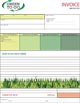
NCR formsCarbonless or NCR Forms come in 2, 3 or 4 part sets and can be shipped loose or padded, with our without chipboard in pads of 25, 50 or 100. They can also be made into invoice or receipt books with a cover wrap. They can be printed with 4 color process, PMS colors or black on one or both sides.

Notepads

Note PadsNotepads are available in 4¼ x 5½, 5½ x 8½ or 8½ x 11, and other sizes by request. The front can be printed in 4 color, 1 or 2 PMS Colors or black. The back side can be ordered blank, or printed with black, PMS inks or 4-color process. They can be padded with or without chipboard in pads of 25, 50 or 100 sheets.

Plastic Cards

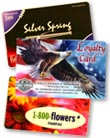
printed plastic cardsPlastic Cards come in 3-3/8 x 2-1/8 (credit card size), 3 x 5, 3-1/2 x 2 (business card size) or 4 x 6 inch sizes. They can be printed with 4 color process on the front and four color, black or left blank on the back. 30 mil and 20 mil plastic thicknesses are available. A lanyard slot is optional on either edge.

Post-it® Notes

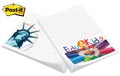
Post-it-Notes printingPost-it® Notes pads are available in 2-3/4 x 3, 3 x 4, and 4 x 6 inch sizes. The front is printed in 4 color process. They are printed on white Post-it® paper and can be ordered in pads of 25 or 50 sheets. Other paper colors and inks can be custom ordered.

Table Tents

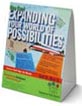
table tentsTable Tents are available in Standard A-Frame, Standing Triangle and Pyramid types in three sizes each. They can be printed full-color or black on the front on 14pt 120# gloss, 120# dull/matte or 100# uncoated cover stocks.

Literature Holders

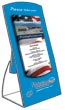
literature holdersThese patented custom brochure holders and rack card holders are made from fine white micro-flute corrugated board, printed with 4-color process on one side with coating. They hold approximately fifty pieces and stand approximately 10″ high with a base that measures 6.25″ wide by 4.25″ deep.

Hang Tags

hang tagsHang Tags are available in half inch increments between 1 and 10 inches. Standard options include full-color on the front, and blank, black-only, or full-color on the back on 14pt 120# gloss, 120# dull/matte or 100# uncoated cover, and 160# 18pt gloss cover stocks. UV or Soft Touch coating. They can be scored and round cornered and have optional hole sizes and placements with a variety of string types and colors.

Banners

vinyl bannerVinyl Banners can be ordered in one foot increments from 1 x 1 to 5 x 48 feet. They are printed on one side with full color 5 year rated eco-solvent ink and come with extra strong weld hemming on all sides and punched metal grommets for hanging. Other options can be custom ordered.
This field is for validation purposes and should be left unchanged.

Get 20% Off*

Your First Print Order

Name(Required)

*By subscribing, you agree to receive weekly emails from Printing for Less. Some exclusions apply. See details.

RELATED MARKETING & DESIGN TIPS

2 Color Printing – Two Colors are Better than One

2 Color printing advantages and disadvantages for commercially printed marketing materials, with printed examples.

Read More >


Direct Mail 2025 – Emerging Trends and Strategies

As 2025 unfurls, direct mail marketing is set for an exciting and dynamic transformation fueled by technology and shifting consumer preferences. Read all about it to get a head start in the new year.

Read More >


Marketing & Design Tips

Need print marketing tips or advice? We have a variety of print marketing articles with everything you need for a successful marketing campaign. Learn more.

Read More >


Low-cost graphic design programs

Designing your own marketing materials with low-cost graphic design programs

Things have gotten a lot easier for businesses looking to design their own marketing materials. Gone are the days when Adobe’s Photoshop and InDesign were the only real options for creating professional looking promotional materials. A Google search will find plenty of free or low-cost graphic design programs that can help you craft the perfect logo or brochure.


It all sounds easy enough: your marketing budget can’t take the pressure of hiring a graphic designer, so all you have to do is download a program and spend a night putting something together that you can send to your printer tomorrow. But, while the abundance of online resources does make things easier, the process isn’t quite as effortless as you might think.

The fact is, it’s a world of plenty out there when it comes to the do-it-yourself approach to designing marketing materials. The real challenge is finding the right application for your needs. And in many cases, you may need to utilize more than one program. The key is to choose wisely. You don’t want to sink several hours into learning the ins and outs of an application only to discover it doesn’t fully meet your needs.

How do you choose wisely? Doing a bit of prep work prior to diving in will save you time and effort in the long run.

First, develop a set of preliminary questions that provide the groundwork for evaluating the software that’s out there.

What Marketing Materials Will You Create?

Before exploring software options, you need to know what types of promotional materials you want to create. You are building a toolkit of software solutions and no toolbox has just one tool. You will use different solutions depending on your marketing needs.

Most of the material you will be designing will likely require the same program—something that provides you with layout or template options, for example—but others might need you to learn the ropes of a completely different application.

For example, if your first project is to design a logo for your business that you’ll be able to use both online and in your print materials, you may want to use a vector graphics editor like DrawPlus, or you might want to try one of the many online logo creators, such as the free Canva.

Will You Create Your Own Design or Use Something Else?

If you’ll need to create your own images to use in your marketing materials, you’ll have to add more tools to your graphic design toolkit. For example, if you’ll be creating your own images rather than relying on stock photos, you may want to check out image creating programs like Inkscape, a vector graphics creator and editor that’s a free alternative to Adobe Illustrator. And if you already have images that need to be edited, Pixlr is an image and photo editor that comes in both Web-based and desktop versions.

Other applications which might find their way into your toolkit? If you’ll be working with images, you’ll probably put a color tool like Adobe Color CC to good use occasionally. And maybe you’re planning on adding an interactive element to your print materials by using Quick Response (QR) codes. In that case, a QR code generator such as Kaywa QR Code or GOQR.me will come in handy.

Where Will You Work?

This question may seem a bit strange until you consider the range of devices available to most of us these days. Chances are, you’ll be working on your desktop or your laptop, but if you’re an aficionado of the iPad Pro, for example, or like to take advantage of the mobility offered by your smartphone, you might prefer to have a selection of mobile apps at hand as well, preferably ones which sync to the cloud so you can continue working when you get back to the office.

For example, the app Word Swag, available for both iOS and Android, lets you transform your images by adding text to them. While it’s a tool you’d use predominantly for creating images for social media sharing, it may also come in handy when you’re in need of graphics for print promotional materials. Or if you’d like to be able to do some photo and image editing while you’re out and about, Pixlr, mentioned above, also offers Android and iOS versions.

Even if you plan to work entirely on your desktop computer or your laptop, unless you’re opting for a web-based application, you’ll also have to take into account your platform. While many programs are cross-platform, you’ll also find an assortment of programs which are only available for one platform. So the fact that you’ll be working on a Mac or Windows computer may make a difference in the options available to you. For example, the free image and photo editing program Paint.net is available only for Windows, while the relatively low-cost image editor Pixelmator is available only for Mac.

Web-based vs. Desktop: What’s Your Preference?

Graphic design programs come in two flavors today: web-based and desktop. In the first category are applications you access from within your browser. One key advantage of using web-based applications? You’re not platform dependent, so if you have a Mac at work but use a Windows computer at home, you can easily go back and forth between the two environments. And whether you save your work to the cloud, or to a portable storage device, using an online program means you don’t have to worry about having specific software installed on all the computers and laptops you are using.

In addition to Pixlr, Canva and PicMonkey are examples of Web-based graphic design programs.

A desktop program, however, often has the advantage of being more fully-featured. While Adobe’s Photoshop and InDesign come to mind, there are other, low-cost or free, alternatives available which offer an in-depth set of features. The open source, cross-platform program Gimp, for example, is a great free alternative to Photoshop that provides the user with much the same feature set as Photoshop; it comes with a large library of plugins as well, so you can pretty much create any type of effect you desire.

How to Choose Graphic Design Programs

Once you’ve gone over these preliminary questions, you’ll have a better idea of the type of program that will be the most appropriate for your particular purposes. When you dive into your Google search results, though, you’ll find yourself faced with quite a few applications that might be suitable. Evaluate the potential ones by considering the following factors, and you should be well on your way to choosing the best programs for your needs.

Ease of Use

Let’s face it: you’re tackling the design of your own promotional materials because your marketing budget just can’t be squeezed any further to hire a professional designer. But you also need to factor your time into the equation. The cost-saving advantages of doing it yourself may be greatly reduced if you find yourself spending more time than you anticipated to come up with a professional looking result.

A program that has the ability to handle everything you throw at it, such as the full featured Gimp mentioned above, will likely also present you with a steep learning curve. An application like Canva, on the other hand, while not offering you quite as many features, has been designed to be extremely easy to use.

Availability of Tutorials

Even with an easy-to-use application, you may occasionally need to learn how to do something in order to achieve a certain effect or result. A graphic design program with a number of tutorials available will prove helpful if you do run into a design issue down the road. Take some time to see if tutorials are available for the application you’re considering—and make sure to check the quality of the tutorials as well. A tutorial that’s difficult to follow might be even worse than no tutorial at all.

Your Marketing Budget

While a number of good, free graphic design applications exist, many of them also offer a “premium” option. Some programs may also have low-cost templates which can reduce the time you spend on laying out your particular project. If you’d like to work with a template but can’t find a suitable one, you also might be able to purchase one from a designer who’s experienced with working with the particular program you’re contemplating using.

If your marketing budget has enough room for you to take advantage of some of these premium options or to purchase a customizable template, it’s worth the time to check out what you can get for your money. In many cases, you may be able to reduce the time you’ll end up spending on a design project because the program you’re using offers you the elements you need at a price your budget can absorb.

Long Term Support

Good graphic design programs, both free and low-cost, will come and go. The ones mentioned in this article are currently among the most popular, but a few years down the road, some of them might not even be around. It is very unlikely that established, popular software like Photoshop will go belly-up any time soon. If you need ongoing support or just want the security of knowing the application you like will always be around, maybe low-cost or free solutions aren’t a good idea for you.

If you find yourself facing the prospect of creating your own print marketing materials, and your marketing budget is placing restraints on the tools you can utilize, a careful evaluation of your own needs and the features offered by the current free and low-cost tools available online will guide you in choosing the right tool for your specific purposes.

This field is for validation purposes and should be left unchanged.

Get 20% Off*

Your First Print Order

Name(Required)

*By subscribing, you agree to receive weekly emails from Printing for Less. Some exclusions apply. See details.

RELATED MARKETING & DESIGN TIPS

Wind Up Your Business with Coil Binding

Get a variety of coil binding sizes, colors, covers and special printing effects to enhance your documents

Read More >


Die Cut Business Cards

Skip the boring and make it extraordinary! Die cut business cards are an effective way to break out of the standard business card box to create a unique impression.

Read More >


Video Library

Browse our video library for commercial printing techniques and helpful printing tips for professionals. We cover common services, printed materials, & more.

Read More >


Trade Printing 

Is Trade Printing Right for You?

So, what is Trade Printing? Who are Trade Printers, and why should you care?
Let’s take a look:

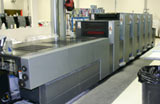
commercial printing pressA trade printer provides wholesale printing to print resellers who sell to the ultimate client. A trade printer does not have contact with the reseller’s clients without the reseller’s permission. A trade printer will sell printing at wholesale prices, allowing the reseller to mark up printing prices to market comparable retail rates. The reseller’s margin may vary depending upon local market prices and the services they are providing their client. Some print resellers may simply be placing orders and having them shipped to their clients while others may be designing the piece, getting print bids, attending press runs and delivering the final product to the customer.


Who uses trade printers?

Trade printers are used by graphic designers, ad and marketing agencies, print brokers and any one else who resells printing to their customers. Some commercial printers even use trade printers if they lack a specific printing capability such as foil stamping, spiral binding or large format printing..

What should you look for in a trade printer?

  • Quality and reliability
    Deal with an established printer who has a track record of success. Your reputation is on the line so make sure to check how long the printer has been in business. Request samples of their work to review the quality of their printing and understand what type of commercial printing technologies they offer.
  • Protection of your client relationship
    Reputable trade printers will not try to steal your client, even if they are also selling commercial print to the end user. A good trade printer will supply you with unbranded samples and catalogs you can give to your customers and will never contact your customer directly without your permission. Your client will receive their printed products in plain or “blind” packaging that never identifies the printer.
  • Printing expertise and capabilities
    A good trade printer should function as your print consultant and offer solutions to your clients’ professional printing needs. They will also offer a wide range of services including multiple finishing and paper options as well as mailing services allowing you one-stop-shipping, thus avoiding the need to source multiple vendors. A good trade printer will also review your files and make suggestions or changes to improve the quality of your clients’ project rather than just printing the file as submitted.
  • Fanatical customer service
    Look for a commercial printer that has trained customer service representatives who know printing and are available by phone to answer questions. They need to be able to turnaround quotes quickly so you don’t miss out on business. They should also have online systems that give you access to your own custom ordering page where you can access the status of your current and past quotes and orders.
  • Shipping and production options
    A good trade printer will have multiple shipping and production speed options to meet your clients’ timelines. As a reseller, you may get priority order processing and production.
  • Ratings and testimonials
    Check your printer’s website for current testimonials, awards, Better Business Bureau ratings, or supplier ratings from organizations such as ASI and Sage. When in doubt, ask for references.
  • Guarantee Policy
    Check your printer’s guarantee policy to understand how they deal with errors or returns.
If you are a printing reseller looking for a trade printer, visit Printing for Less Pro for more information. You will find sales tools that you can use with your customers to ensure you are meeting all their needs and expectations.
This field is for validation purposes and should be left unchanged.

Get 20% Off*

Your First Print Order

Name(Required)

*By subscribing, you agree to receive weekly emails from Printing for Less. Some exclusions apply. See details.

RELATED MARKETING & DESIGN TIPS

Marketing & Design Tips

Need print marketing tips or advice? We have a variety of print marketing articles with everything you need for a successful marketing campaign. Learn more.

Read More >


Roll Labels

Roll Labels and stickers printed to your specifications. Durable, high-quality full color label printing with many standard and custom options available. Use your design or have us design them for you. Printed right and delivered on time, guaranteed

Read More >


How to Set Up and Submit Canva Print Files

Get perfect prints every time with our new Canva print-ready guide! This helpful resource shows brands and designers how to prepare their Canva designs for smooth printing. Grab the guide and make your next print project a success.

Read More >


Business Printing Shouldn’t be an Oversight

Business Printing Shouldn’t be an Oversight

When you finally decide to launch your new business venture, there are an unlimited number of decisions that need to be made: leases, office equipment, merchandise, hiring, you name it. Typically, the business printing needs is the last thing a new business owner thinks about. This is understandable, but a regrettable oversight in your total business plan.

Your business cards, stationery, brochures, spec sheets and business printing in general, are integral to your new venture. All of these are a critical component in establishing your company’s brand and image in the early stages and as you continue to grow.


Your Identity Package

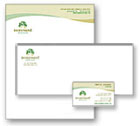
business identity packageOne of the key components of your business printing arsenal is the identity package. Often overlooked, your business cards, letterhead and envelope are a great way to introduce yourself and impact your clients and customers. The investment in design, whether classy, timeless or edgy, is a key part of your image. Additionally, the printed pieces of your new business serve as a vital communication tool with other businesses, your clients, customers and potential customers. If they can’t find you, they can’t do business with you.


All the Sae to Me

Take a cue from the “big boys” in the business world; strive for consistency in your logo colors, sizing, proportion and scale. It creates a sense of semblance that makes your brand recognizable to your clients and future clients, regardless of if it is your business card, an envelope, brochure or letterhead.

Off To Market…

So, now you have a good start on your business printing “kit”: business cards, brochures, postcards, letterhead and envelopes. What do you do with it? How do you use it to market you and your business? Starting with the true hand-to-hand weapon, the business card, whatever you do, don’t leave them sitting on your desk, waiting to hand out to prospects or clients when they come to you. Think of your card as a mini-billboard. People need to see it for it to be effective. When you are out, always have them on hand to distribute. Additionally, if you ship products, include one in the packaging. Include business cards with thank you notes and letters. Print something distinctive or helpful (in addition to your contact information) such as a calendar, a tip calculator, or other information applicable to your industry on the back of the card.

How do you get your card in their hands? Ask them first for their card. Invariably, they will ask in return for yours. This is a great way to network, and gets good traffic from your newly designed card. Hand out your business card generously; they are a cost effective way to market your business. Your other business printing collateral, such as brochures, can be used much in the same way. Including them in shipments and information packets gives your customers and prospects the information they need about your company. Brochures are a perfect format for large full color photos, product specs, and a succinct company history, highlighting your accomplishments and capabilities.

Put A Stamp On It…

Remember, the old saying “to sell you have to tell” rings true, especially with a postcard mailing campaign. Many times, your business printing package is not complete with out some form of a mailing piece. Keep your list quality, call to action on the actual postcard, and simple yet powerful ad content top of mind.

Put yourself in the shoes of your potential customers who are receiving your postcard-why would I take the time to call? What is in it for me? Am I interested enough to call, or is the offer compelling? These are the questions we all ask ourselves, consciously or subconsciously, before purchasing anything.

Run, Don’t Walk

The first thing to do when it comes time to get your business printing started is… GET STARTED! Don’t put off this component of your new business until the last second. Lay out your ideas, talk with your colleagues and partners, start thinking about a budget, brainstorm with a designer-anything! Just take the first steps today. Make it easy for your potential customers to find you, and learn about you, and make the right choice-your business.

Get instant pricing for these standard business identity products:

Letterhead/Envelopes    Busine Card


Printing for Less is a marketing technology company that provides printing, mailing, fulfillment, and marketing automation services to over 200,000 businesses from startups to the Fortune 500. Our 100,000 sq. ft. state-of-the-art facility provides a one-stop shop for all your company’s needs, from marketing advice, design services, sustainable print and mailing solutions since 1996. Our highly qualified team of 300+ employees deliver exceptional print quality with award-winning customer service backed by our A+ BBB rating and 100% satisfaction guarantee.

This field is for validation purposes and should be left unchanged.

Get 20% Off*

Your First Print Order

Name(Required)

*By subscribing, you agree to receive weekly emails from Printing for Less. Some exclusions apply. See details.

RELATED MARKETING & DESIGN TIPS

Half Fold 11×17 Brochure Design Review

Need to target a specific group or audience for you next brochure? Informative brochures are a fantastic way to educate your customers about a specific function or product.

Read More >


Clear Business Cards

Get clear plastic business cards printed with numerous custom options, fast turnaround, free templates, live expert help and award winning service

Read More >


How to Design Print Materials for Foil Stamping Effects

We share the top best practices for designing for foil stamped or metallic printing effects to insure that you get the best printed piece possible

Read More >


Repurposing Your Website for Print Marketing

Repurposing Your Website for Print Marketing

Boost small business marketing by repurposing your existing website

As a small business owner, you wear more hats than most people will ever know. Whether it’s acting as accountant to balance the books, rolling up your sleeves in the kitchen, or burning the midnight oil to launch a website, you’d do anything for your business.

Which means that like most small business owners, you’ve got to save time and resources where you can. One of the greatest small business marketing secrets is understanding how to repurpose content. Here are some tips for turning your existing website into direct mail pieces, emails, and other marketing assets.


How to get the most return from one piece of content

Whenever you create a piece of content for your business, you’ll do yourself a huge favor by taking a more holistic approach from the get-go. Consider how a webpage, blog post, or tradeshow flyer can be repurposed to fit multiple channels. Let’s take a look at how to create each of these assets from your current website.

Repurpose website material for direct mail

If you’ve got a website, you’re already sitting on a lot of good information that’s waiting to be repurposed. One of the easiest ways to do this is to turn that content into direct mail pieces that you can use to target specific customers. This is a great way to take an inbound channel (your website) and turn it into an outbound channel (direct mail) so you are spreading your marketing message.

You can take topics from different web pages and make them the focus of direct mail pieces like brochures, flyers, postcards, and more. Best of all, you can use those mailers to point people back to your website and drive them to buy. For example, let’s say you own a small auto shop. One of your biggest money makers is tires and you have an entire web page devoted to them. You can promote your business by taking the details from that webpage, adding it to a postcard and highlighting your top selling tires.

With direct mail, you can also target certain areas in your community by using the US Postal Service’s Every Door Direct Mail® (EDDM®) option. Now you can send your direct mail piece showcasing your tires to everyone within a few miles, or if you’re promoting special tractor or farming tire, why not focus only on rural residents? It is easy to do with targeted EDDM®.

Pro tip: include a limited time offer on the mailer to build a sense of urgency in your audience.

Turn a webpage into a blog post

When you write a webpage, you’ve got blog content sitting directly in front of you. If you’re trying to expand your blog content, simply take the main points of your webpage and re-use them as a blog post. Don’t copy and paste, however. Creating exact duplicates of a webpage will set off an alarm in search engines like Google, flagging your site as low quality and bumping you down when someone searches for a topic in your blog.

Check out how this webpage on brochures was repurposed to make this blog post on creating great brochures. Notice how the content is similar but not identical. The blog post adds a bit more value, takes a more colloquial tone, and engages the audience.

Turn a blog post into multiple social media posts

No matter whether you’re a small business or a large enterprise, social media is critical in today’s business world. This may seem like another area you simply don’t have the time or resources for, but if you’re crafting reusable content, it’s much easier than you think. For each blog post you create, you should be able to create four or five different social posts from it.

Good ideas for social posts are short, concise blurbs that identify a problem your customers face; captivating photos of your products, customers, or staff; and quotes from the blog post that are attention-grabbing. Typically you link the social post back to your blog or other webpage on your site that is relevant.

Remember, the key to a successful social campaign is to be social. Engage. Talk, become part of a community. If you think you simply don’t have the time to manage multiple social profiles, check out some of the free tools for ongoing social content management.

We’re big fans of Hootsuite at PrintingForLess, and using these kinds of tools can help you broadcast your message far and wide with a minimum amount of effort. They work by letting you schedule blog posts weeks in advance and give you access to data showing you how people are engaging with your social posts. This is just the start, there is a whole industry out there to help small businesses manage their social presence.

Turn a blog or webpage into an email

You can also take that same webpage or blog and turn it into an email for your current customers. Think of this email as a teaser to what you’ve already written, you want to keep it short and sweet. And make sure your email isn’t a dead end! Use a strong call to action to point the reader to the next destination once they’re finished reading. What do you want them to do next? Visit your website? Go to your blog? Be sure to tell them exactly what to do and make the language strong and urgent.

An old marketing adage says that a prospect has to be exposed to your brand seven times before they remember you. The longer you can keep customers bouncing around your blog, website, or social profile, the better. This is how they begin to build a relationship with your brand.

Keep your marketing brand-centric

Be sure that as you expand your content across multiple channels you stay consistent. You don’t want your company voice and messaging to change drastically. What if you spend money on a high-profile billboard ad that is really funny, but all of your email newsletters are dry and stuffy? You are going to create confusion with customers. The public should be able to recognize your company from one piece to another whether you’re talking to them online, in an email, or through direct mail.

Don’t make your marketing strategy about pushing a sale

When you sit down to write content, ask yourself, “What value can I bring to my customers? What can I solve for them?” Answer those questions in your content and you’ll build trust with readers. You never want to come across as simply pushing a product.

When you are repurposing portions of your website you can easily fall into this trap. Your website is mostly about you, your company, and what you can do. The reality is that effective marketing is about the customer, their needs, and real solutions. If repurposed content feels self-serving, your customers know.

There are a lot ways for you to repurpose content on your website, from growing blog efforts to engaging in social media. One of the best ways is to give direct mail a try. It can help you stand out, target local audiences, and be remembered. And it is affordable.

If you’re interested in using direct mail to turn digital assets into tangible assets, check out Printing for Less’s direct mail services.


This field is for validation purposes and should be left unchanged.

Get 20% Off*

Your First Print Order

Name(Required)

*By subscribing, you agree to receive weekly emails from Printing for Less. Some exclusions apply. See details.

RELATED MARKETING & DESIGN TIPS

About RGB and CMYK

How to convert RGB to CMYK in Adobe Photoshop, Illustrator, and more graphic design programs for commercial printing. Hint: We convert RBG to CMYK for free!

Read More >


Get Our 2024 Summer Lookbook

Whether you want retail brands that support great causes, need products made with eco-friendly materials, want to support a small business… or all three—here’s a catalog of products that will help you create direct mail solutions that deliver.

Read More >


Color in Process Printing

Choosing between CMYK or RBG for print? Learn which you should use for printing and how the color quality of printed materials are affected by RBG and CMYK.

Read More >


  • « Go to Previous Page
  • Page 1
  • Page 2
  • Page 3
  • Page 4
  • Page 5
  • Page 6
  • Interim pages omitted …
  • Page 8
  • Go to Next Page »

Footer

Printing for Less

info@printingforless.com
100 P F L Way, Livingston, MT 59047

800-930-2423

  • Home
  • Products
  • Services
  • Industries
  • Get Printing Samples
  • Direct Mail Marketing Resource Center
  • Printing Resource Center
  • Blogs
  • Templates
  • Terms & Conditions
  • Contact
  • About Printing for Less
  • Careers
  • Login

Copyright © 1998-2026 PrintingforLess.com. All Rights Reserved.

logo
  • 800-930-2423
  • Products
  • Direct Mail Marketing
  • Services
  • Industries
  • Direct Mail Marketing Resources
  • Printing & Mailing Resources
  • Get a Quote
  • Contact Us
  • My Login
Direct Mail Delivery
This field is for validation purposes and should be left unchanged.

Get 20% Off*

Your First Print Order

Name(Required)

*By subscribing, you agree to receive weekly emails from Printing for Less. Some exclusions apply. See details.