• Skip to primary navigation
  • Skip to main content
  • Skip to footer
Printing for Less

Printing for Less

At Printing for Less, we've offered high quality online printing services since 1996. Shop business cards, booklets, stickers, and more!

My LoginMy Login
800-930-2423
  • Printing
    • Postcards
    • Business Cards
    • Catalogs
    • Brochures
    • Folders
    • Letters
    • Newsletters
    • Envelopes
    • Greeting Cards
    • Print Templates
    • All Products
  • Direct Mail
    • Why Direct Mail Marketing?
    • Every Door Direct Mail® Postcards
    • Direct Mail Letters
    • Catalogs & Booklets
    • Marketing Gifts & Kits
    • Direct Mail Automation
  • Services
    • Mailing Services
    • Pro Services
    • Design Services
    • Custom Printing Services
    • Reseller Program
  • Industries
    • Advertising & Design
    • Food & Beverage
    • Healthcare Payers
    • Healthcare Providers
    • Nonprofit
    • Real Estate
    • Retail
    • Technology
    • University
  • Resources
    • Direct Mail Marketing
      Resource Center
    • Printing Resource Center
    • Blogs
    • Templates
    • Video Library
    • Have a Question?
  • Get Samples
  • Holiday Shopping
  • Get a Quote

Printing Resources & Help Guides

Choosing A Printing Company: A Partnership For Your Success

Choosing A Printing Company: A Partnership For Your Success

Selecting an online printing company to help you with your business is a critical choice, and one not to take lightly. It goes beyond the quality, cost, or speed of a printing project to finding a trusted partner to help propel your business forward.


As with many business choices, partnering with an online printing company requires you to ask the right questions to find the right fit for your business.

Print buying can be a nerve-wracking, time-consuming process, and a good printing company alleviates or removes these issues. You’re busy running your business. You shouldn’t have to wait days for estimates or proofs, be limited by file types you can submit, have your timeline pushed back because the printing company isn’t flexible, or get nickel and dimed to death with charges buried in the fine print. It’s not just your money but your time that’s valuable.

At PrintingForLess.com, we save you the headache, stress and worry, allowing you to run your business. We work with you to find out what success looks like to you and how we can help you achieve it through your printing and direct mail projects.

The Human Factor

customer advocate teamOur biggest competitive advantage can be summed up in one word: people. We hire and thoroughly train our front-line employees in sales, lithography, pre-press and customer service. This combination gives you a highly skilled three-person team to handle your order from the first phone call or email to the final delivery of your project. We also equip our manufacturing staff with the training and empowerment to ensure your order meets our high quality standards.

When you receive your order, we are not out of the picture; you will hear from us personally on every order to make sure it met your expectations, and if not, we fix it, guaranteed. A printing company is not just a room full of presses and stacks of paper.
offset printing press

A Good Fit is not Just for Suits and Shoes

This high level attention to service, training and flexibility allows us to be your personal printing consultant. We will talk to you about your timeline, budget, image quality, project expectations, as well as look at layout and design elements, discuss mailing services and list procurement, and do what we do best-help you build and grow your business through high-quality, eye-catching marketing materials, delivered on time for a fair price.

We specialize in offset printing using state-of-the-art Heidelberg presses on small to medium sized print runs.

We focus on helping what many refer to as “small businesses”. From accountants to bakeries, dry cleaners, mechanics and doctors, landscapers, real estate agents, dentists and restaurant owners, you’re the backbone of America’s economy. When you succeed, we all prosper.

So ask yourself, have you made the right choice when selecting a printing company? Your business is worth it.
This field is for validation purposes and should be left unchanged.

Get 20% Off*

Your First Print Order

Name(Required)

*By subscribing, you agree to receive weekly emails from Printing for Less. Some exclusions apply. See details.

RELATED MARKETING & DESIGN TIPS

The Idea Pack: Every Door Direct Mail®

Learn how EDDM® works to effectively deliver your marketing materials door-to-door without needing specific addresses.

Read More >


Direct Mail Marketing – An Idea Book for E-Commerce and Retail

This e-book explores three core ways marketers can integrate direct mail into their digital strategy: the Power of Engagement, the Power of Personalization, and the Power of Action.

Read More >


What is Embossing or Debossing?

What is embossing and debossing? It’s smooshing paper, but it’s really cool. Find out more about how to effectively use this advanced printing technique.

Read More >


Video Library

< All Resources

Video Library

Browse our Video Library for helpful printing tips.

Video Library
Printing for Less

Business Cards

Printing for Less

Brochures

Printing for Less

Postcards

Printing for Less

Embossing

Printing for Less

Foil Stamping

Printing for Less

Mailing Options

Help & FAQs

< All Resources

Printing Help & FAQs

Need extra help with your printing job? We’ve put together answers to some of the most common printing FAQ. Remember, if you ever want to talk to a real person, we’re always here waiting for your call!

Want to Talk to Someone Instead?

We’ve got real experts waiting to hear your ideas and make them happen. Contact us! We’re here to help magnetize your brand and maximize your marketing 5 days a week 8am-5pm MST.

Talk to a Real Person
  • All
  • Brochures FAQ
  • Business Cards FAQ
  • Catalogs FAQ
  • EDDM FAQ
  • File Preparation FAQ
  • Folders FAQ
  • General/Company FAQ
  • Postcards FAQ
  • Products/Ordering FAQ
  • Shipping and Delivery FAQ

Why choose Printing for Less for folder printing?

Printing for Less provides high-quality folder printing with extensive customization options and expert support. From standard presentation and file folders to fully custom products, we help organizations of all sizes create professional, brand-consistent materials with confidence.

Can folders be matched with other printed materials?

Yes. Printing for Less can match your folders with other printed materials such as brochures, letterhead, and business cards to create a cohesive, branded set. 

What is the turnaround time for folder printing?

Turnaround time for folder printing depends on the complexity of your project, including design and finishing options. Standard production timelines typically range from a few business days for straightforward jobs to longer for custom features like die cutting or specialty finishes. Rush production is available for tight deadlines. Printing for Less works with you to provide clear timelines upfront. 

Can I order short-run or bulk quantities of folders?

Yes. Printing for Less offers both short-run and bulk folder printing to fit different needs and budgets. Short runs are ideal for smaller projects, events, or testing new designs, while bulk orders reduce the cost per piece and are more cost-effective for larger distributions. Our team can help you choose the right quantity based on your timeline, budget, and how long your materials will be in use.

What industries benefit most from custom folder printing?

Custom folder printing is useful across a wide range of industries that rely on organized, professional presentations. Common use cases include healthcare, financial services, real estate, education, nonprofits, and professional services. These folders are often used for proposals, client meetings, onboarding materials, and event handouts. 

Can I customize folder pockets, layouts, and sizes?

Yes. Printing for Less offers customizable presentation folders with options for one or two pockets, business card slits, and custom variations to fit your materials. Standard folders are typically 9” × 12” to hold 8.5” × 11” documents, but custom configurations may be available depending on your project. Our team can help you choose the right setup to match your content, brand, and use case.

How do I design a folder that looks professional?

A professional folder design starts with a clear layout, consistent branding, and print-ready formatting. Use your brand colors, logo, and fonts consistently, keep the design clean and easy to read, and focus on a strong front cover with an organized interior. It’s also important to design with print in mind by using the correct size, bleed, and high-resolution images. You can use Printing for Less templates to ensure your files are set up properly for production, or work with our design team to create a polished, print-ready folder.

What types of folders can I print?

Printing for Less offers custom presentation and file folders designed for both marketing and organizational use. Presentation folders are typically 9” × 12” with pockets for standard documents and can be customized with one or two pockets and business card slits. File folders are also available in 9” × 12” with full-color printing and optional UV coating for added durability. Both options can be paired with printed inserts like brochures, letterhead, and business cards to create a complete, branded set of materials.

Why are custom folders important for business marketing?

Custom folders help businesses present their materials in a professional and organized way. They keep brochures, proposals, and other documents together while reinforcing your brand during meetings, events, and follow-ups.

Why choose Printing for Less for brochure printing?

Printing for Less provides high-quality brochure printing with extensive customization options and expert support. From standard to fully custom, we help organizations of all sizes create professional, brand-consistent brochures with confidence.

Can I include variable data or personalization in brochures?

Yes. Printing for Less supports personalized brochure printing using variable data printing (VDP), allowing you to customize brochures with names, offers, or targeted messaging. Personalization helps make your brochures more relevant to each recipient and can improve engagement and response rates.

What is the turnaround time for brochure printing?

Most brochure orders ship within a few business days. Printing for Less also offers rush production options for time-sensitive projects. You can choose your preferred production speed at checkout or contact our team with specific turnaround questions.

Can Printing for Less mail my brochures?

Yes. Printing for Less is a full-service mailing house that can print and mail your brochures as part of a complete direct mail program. We handle addressing, sorting, and USPS delivery, and can mail brochures using a provided mailing list or directly to you. Checkout our mailing services page to learn more. 

What paper and coating options are available for brochures?

Brochures can be printed on a variety of paper stocks, from thin uncoated papers to thick cover stock for a more durable, professional feel. Printing for Less offers standard brochure paper and coating options, including: 80# Gloss or Dull/Matte Text, 100# Gloss or Dull/Matte Text, and 80# Gloss or Dull/Matte Cover. 

Additional options such as recycled papers and SmartFlex® synthetic paper are also available. Our experts can help you choose the best paper and coating for your specific brochure needs.

How do I design a brochure that makes an impact?

To design a brochure that makes an impact, start with a clear headline, strong visuals, and a focused call-to-action that guides the reader. Keep copy concise and ensure imagery, colors, and layout are consistent with your brand. Printing for Less offers design templates and expert design support to help you select the right layout, finishes, and specifications. You can request a quote or call our team to discuss your project in detail.

What types of brochures can I print?

Printing for Less offers a wide range of brochure types, including tri-fold, bi-fold, z-fold, and custom layouts in multiple sizes. Brochures can also be printed with unique folds or dimensions to match your design and messaging needs. The term “brochure” commonly refers to folded printed materials such as flyers, handouts, pamphlets, and leave-behinds used for marketing and information sharing.

Can I print brochures in custom sizes?

Yes. While standard brochure sizes are available, Printing for Less can print brochures in fully custom sizes and shapes. Custom sizing gives you more flexibility to match your design, folding style, and distribution needs while helping your brochure stand out.

Why are brochures an effective marketing tool?

Brochures allow businesses to share detailed information in a clear, organized, and easy-to-reference format. They work well for sales presentations, events, in-store displays, and direct mail, giving customers time to review your message at their own pace. With professional design, quality paper, and full-color printing, brochures help reinforce your brand and support informed purchasing decisions.

Why choose Printing for Less for business card printing?

Printing for Less provides high-quality business card printing with extensive customization options and expert support. From standard cards to fully custom, we help organizations of all sizes create professional, brand-consistent business cards with confidence.

How can I design a business card that stands out?

To create a standout business card, focus on bold but intentional color choices, clear typography, and high-quality materials. Printing for Less offers design templates and expert design support to help you select the right layout, finishes, and specifications. You can request a quote or call our team to discuss your project in detail.

What should I include on my business card?

A well-designed business card typically includes your name, job title, company logo, and key contact details such as phone number, email, or website. Keeping the layout clean and aligned with your brand helps ensure readability and a strong visual impact.

Can I print double-sided business cards?

Yes. Printing for Less offers full-color, double-sided business card printing. Printing on both sides gives you more space to include additional details such as QR codes, taglines, social handles, or secondary contact information without overcrowding the front of the card.

Can I print business cards in custom shapes or finishes?

Yes. Printing for Less offers multiple customization options, including rounded corners, die-cut shapes (standard or custom), soft-touch coating, embossing, foil stamping, and other premium finishes. These options help elevate your card’s look and feel while keeping it professional.

Do you offer specialty materials for business cards?

Yes. Printing for Less offers a wide range of standard and specialty business card materials, including: 120# Gloss Cover (14pt), 120# Dull/Matte Cover (14pt), 100# Uncoated Cover (14pt), 160# Gloss Cover (18pt), and 160# Dull/Matte Cover (18pt).

We also offer 100% recycled paper options, custom stocks, as well as magnetic and plastic business cards for brands that want a more distinctive or durable card.

What sizes are available for business cards?

The standard U.S. business card size is 3.5 × 2 inches. Printing for Less also offers folded and custom-sized business and appointment cards, allowing you to choose a format that best matches your brand and use case.

Why are business cards still relevant today?

Business cards remain a simple and effective way to share contact information in person. They support face-to-face networking, help create a memorable first impression, and reinforce brand credibility during meetings, events, and everyday interactions.

How can I track results from an EDDM® postcard campaign?

You can track EDDM® performance by including measurable elements such as QR codes, custom/ vanity URLs, promo codes, or dedicated phone numbers. Monitoring website traffic, offer redemptions, and customer inquiries can help you evaluate engagement and overall campaign effectiveness. Printing for Less can assist with integrating trackable components into your postcard design.

Can businesses use EDDM® to reach customers in new cities or regions?

Yes. While EDDM® is commonly used for local marketing, you can select carrier routes in different cities or regions if you want to expand into new markets. It is particularly useful for businesses opening new locations, launching services in additional areas, or testing demand in specific communities.

What should I include on an EDDM® postcard to increase response?

Start with a clear campaign goal. EDDM® works best when it supports a broader marketing strategy, such as promoting in-store discounts, limited-time offers, or local events.

Your postcard should include a strong headline, concise messaging, a clear call to action, and easy-to-find contact information. Adding a QR code or custom URL helps drive traffic online and makes it easier to track responses, conversions, and ROI.

Do I need a mailing list for USPS Every Door Direct Mail®?

No. One of the primary benefits of Every Door Direct Mail® is that you do not need a mailing list. Instead, you select USPS® carrier routes based on Zip Codes, and your mail piece is delivered to every address within those routes.

How much does an EDDM® campaign cost per piece?

The cost of an EDDM®  campaign depends on postcard size, quantity, printing specifications, and current USPS® postage rates. Because EDDM®  does not require a purchased mailing list, it can be a cost-effective way to reach large groups of households within a defined area. Printing for Less provides transparent pricing and online quoting tools to help you estimate your project. Click “Get Pricing” at the top of this page to instantly see pricing based on your specifications.

How does USPS Every Door Direct Mail® compare to digital marketing platforms?

Every Door Direct Mail® provides broad physical visibility within a specific geographic area by placing your message directly in mailboxes. Unlike digital platforms, which rely on algorithms and screen time, EDDM delivers a tangible piece that recipients can hold and revisit. Many businesses use EDDM alongside digital marketing to reinforce messaging and expand reach across channels.

Where can I find customizable EDDM postcard templates online?

Printing for Less offers customizable Every Door Direct Mail® postcard templates that help simplify the design process. These templates are built to meet USPS® size and layout requirements, making it easier to create a compliant and professional mail piece. You can also work with our in-house design team if you prefer hands-on support or a fully custom design.

What are the size requirements for EDDM®?

Your design must be a rectangle or square, or fold down into one of those shapes. It must meet the USPS sizing requirements:

  • Minimum, 10.5” long or 6.125” high
  • Maximum, 15” long or 12” high

How does EDDM® work?

Every Door Direct Mail® (EDDM®) allows businesses to send postcards to every address (businesses and/or residential addresses) along selected USPS® carrier routes without purchasing a mailing list. You choose the carrier routes you want to target, design your postcard, and prepare the mail pieces according to USPS guidelines. Printing for Less can assist with printing, design, bundling, and preparing your mail for submission, streamlining the entire process.

What is Every Door Direct Mail®?

Every Door Direct Mail® (EDDM®) is a USPS program that allows businesses to send direct mail to all addresses within selected carrier routes. It eliminates the need for a mailing list and is commonly used for local promotions, grand openings, service announcements, and neighborhood outreach.

Why choose Printing for Less for catalog and booklet printing?

Printing for Less combines high-quality printing, customization, and expert support to create high-quality catalogs and booklets for any business.

What is the typical turnaround time for catalog printing?

Most orders are produced and shipped within a few business days. Rush printing options are available for tight deadlines. You can select production speed when placing an order.

What industries use catalogs and booklets most often?

They’re popular with retail, manufacturing, education, and nonprofits. Businesses use them for product showcases, course guides, or donor materials.

Can I customize each catalog or booklet?

Yes. Add personalized covers, product selections, or variable data (VDP)  to create an experience that aligns with your brand and buyers’ needs.

Can I print short-run or bulk quantities?

Absolutely. Printing for Less supports both short-run (250 quantity or less) and high-volume catalog printing while maintaining the same exceptional quality.

Can Printing for Less mail my catalogs?

Yes. We handle full mailing services, including addressing, sorting, and delivery. Catalogs can be sent directly to you, sent as EDDM, or sent to a mailing list. Check out our mailing services page for further information.

What paper types and binding options are offered?

Choose from glossy or matte paper in multiple weights. Printing for Less offers saddle-stitch, wire-o, plastic coil, perfect bind, and square back binding options for polished, durable results.

How do I design a catalog or booklet that engages readers?

Focus on high-quality images, clear sections, and concise copy. Include calls-to-action and consistent branding to keep readers interested from cover to cover. Printing for Less also offers design services. Request a quote, and our team will help you bring your vision to life.

What sizes are available for custom catalogs and booklets?

Printing for Less offers standard 5.5″ × 8.5″, 8.5″ × 11″, and custom sizes. These formats provide flexibility for both compact and full-detail layouts.

Why are catalogs and booklets effective for marketing?

Catalogs and booklets allow you to showcase products, services, and stories in a detailed, professional format. They build trust, educate customers, and encourage repeat business.

How do I design a postcard for direct mail?

Keep your message clear, include a strong call-to-action, and follow USPS mailing guidelines for layout and addressing. Our team can help ensure your design is print-ready. We also have templates available to get you started.

Can I print non-standard postcard sizes?

Yes! Printing for Less offers complete size customization beyond standard postcard sizing. Request a quote or call us to discuss the specifications of your project.

Can I mail some of my postcards and have the rest shipped to me?

Yes—Printing for Less can mail part of your order to your mailing list and ship the remaining postcards directly to you, or to any location you specify during checkout. We can also stagger your mailings by sending portions on different days or weeks to match your schedule. 

What coatings can I use on my postcards?

Additional coating options include UV coating (spot or flood on the non-address side) and Soft Touch. Spot UV gives you a shiny, durable finish that highlights key design elements, while Soft Touch adds a smooth, premium feel that helps your postcard stand out in the mailbox.

Can Printing for Less mail my postcards?

Yes, Printing for Less is a full-service mailing house. You can mail postcards directly with a mailing list or choose Every Door Direct Mail (EDDM). Check out our mailing services page for all aspects of mailing. 

What are my color options for postcard printing?

We can print full-color on both sides (4/4 color), full-color plus Pantone spot colors (also called PMS colors), or full-color on one side and zero, one, or two colors on the other side. If you want a black-and-white postcard, we can do that too!

What is the required bleed for full-color postcard printing?

A 1/8″ bleed is required on all sides of your postcard. This ensures your design prints edge-to-edge without unwanted white borders.

Can I personalize my postcards with customer names or offers?

Yes, Printing for Less offers variable data printing (VDP)  so you can add demographics like name and location, personalized messages, special offers, salutations, and more to each postcard to increase response rates.

How do I choose the right size for my postcard?

Pick a size that fits your message—smaller postcards like 4”x6” are great for quick updates, while larger formats like 6”x9” give you more room for images, offers, and product highlights. If you’re unsure, Printing for Less can help you match your goals, design, and budget to the best postcard size.

Standard Sizes: 4.25 x 5.5, 4 x 6, 5 x 7, 5.5 x 8.5, 6 x 9, 6 x 11

EDDM Postcard Sizes: 4.25 x 10.625, 4.25 x 15, 6.25 x 9, 6 x 11

What are the most popular standard postcard paper types?

Popular standard postcard papers include 120# Gloss Cover (14pt), 120# Dull/Matte Cover (14pt), 100# Uncoated Cover (14pt), 160# Gloss Cover (18pt), and 160# Dull/Matte Cover (18pt), along with recycled and custom options. Printing for Less also offers UV coating for added shine, durability, and a more premium finish.

What makes postcards an effective marketing tool?

Postcards are quick to produce, tangible, and cost-efficient, making them one of the easiest ways to get your message into your customer’s hands. They are perfect for promoting products, promotions, events, and business services.

How to Compress Files for Upload

If you use a Mac or have more than 4 files to upload it would be best to upload them as a single compressed file by following these instructions.

Take all the files for the job and put them in a single folder whose name is your company name.

Compress the folder as a .zip file using Winzip or PK Zip if it’s a Windows platform file. Use Stuffit on the Macintosh platform and BinHex encode the file so that your file will retain its resource fork and arrive happily with its icons intact.

If your files are extremely large you may want to compress them into several archives such as companyname-1.zip, companyname-2.zip, etc. Sometimes it is easier to successfully upload 3 25MB files than it is to upload a single 75MB file.

You can download the programs from the links below.

Winzip Stuffit

Zip Info

Please write your order number on your package and disk. You’ll see the order number on the order confirmation page after you hit the “Send Order” button below. Include on your disk only the file(s) you want printed. Your files can be compressed as a zip or stuffit archive. Flash drives are automatically returned. CDs and DVDs are only returned if you request it on the ordering page or indicate it with your disk.

File Formats

We gladly accept all popular Mac and PC file formats, including any version of:

Microsoft  Publisher, Word, Excel, Home Publishing, Powerpoint, PhotoDraw, Works, Picture It
Quark  XPress
Adobe  Pagemaker, InDesign, Illustrator, Photoshop, FrameMaker, Acrobat, Photoshop Elements
Corel  DRAW, PHOTO-PAINT, WordPerfect, Lotus, Ventura, Bryce, Quattro Pro
Macromedia  Freehand, Fireworks
Deneba  Canvas
Serif  PagePlus, PhotoPlus, DrawPlus
Claris  Works
Apple  Works
Broderbund  The Printshop (version 15, 20-22), PrintMaster, Calendar Creator
Plus these: Open Office, Greeting Card Factory, Art Explosion Publisher and More

What if I want to change something on my order after I’ve placed it or approved the proof?

We require an electronic “paper trail” for all changes made after your initial order is placed.You may make changes to such things as quantity, shipping method, or shipping address by going to the Change Order Request page. Please note that some changes cannot be made after certain stages in the production process — for instance, the quantity cannot be changed once your job has been printed.

Will I always receive exactly the quantity I order?

Most of the time, we ship you slightly more than you ordered, free of charge. On occasion, we ship slightly fewer pieces than you ordered. Printing industry trade standards allow for underages of up to 5%. If you plan to send your print order to a mailing list or need a guaranteed quantity, we recommend that you order 5% over the minimum quantity you need.

Where can I check shipping transit times?

We primarily use FedEx for standard ground shipments. You can view FedEx Ground Time-In-Transit information by entering our zipcode, 59047, at this page: https://www.fedex.com/ratefinder/home.

Shipping Services

Our online shipping prices are valid within the continental United States. For Alaska and Hawaii, please order using 2nd Day Air service. We are also happy to ship to you anywhere in the world. Please provide us the exact shipping address (street address if available), along with the quantity and product type you want to order, and we will let you know the additional shipping costs. Please note that some services are not available to all countries.

How can I get my order even faster?

Our standard service is quite fast. For most products we ship your order within 4 days after you approve your proof online, via FedEx Ground. In most parts of the country, that means you will have your order in about 6-10 days. If you want to receive your order faster, select one of our faster handling options or upgraded shipping options when you place your order.

How long will it take to get my order?

Most orders will be shipped within 4 business days after you approve your proof online. Please check the specific product ordering page for available turnaround times. Shipping by FedEx takes from 1 to 5 business days to get to you depending on your location.

How long does it take for me to get the proof of my job?

Once you have placed your order, you should get it within 1 business day after we receive your electronic files.

Where can I get more information on file preparation?

Our technicians are always available to assist you during business hours. You can reach us by email at info@printingforless.com and by phone at 800-930-6040.

Where can I get some more tips on designing a brochure?

Easy! Check out “How To Make A Super Brochure Or Mailing Piece”

How should I lay out a piece to comply with USPS mailing regulations? Do you have postcard and brochure templates?

Please see our postcard templates and brochure templates that have mailing requirements on them. Also, please give us a call at 800-930-6040 for further information.

Do you have templates to help me correctly design my project?

Templates are available on some of the product ordering pages. Our Design Templates page has a list of currently available templates. Look for more in the near future.

Where can I get more information on file and image resolution?

Our Resolution page has a comprehensive explanation of resolution and tips on how to properly prepare images to achieve the best quality printing.

How can I tell what resolution the image from my digital camera is?

Some digital cameras will let you know what the image resolution is, while others will tell you what the pixel dimensions of your image are. If you know what the pixel dimensions of your images are either from the camera itself or through the image editing software, you can do a little math to determine the resolution, and the size you can print the image at for clear and crisp printing.


Simply write down the pixel dimensions of your image and divide those numbers by 300 if the image does not include text and 400 if the image does include text. For example: An image without any text has a pixel dimension of 600 x 900 pixels. Once each dimension is divided by 300 the result is 2 x 3 inches. This means that you can use this image at 2 x 3 inches or smaller in your layout for quality printing results.


If your image editing software does not tell you what the pixel dimensions are, but it does tell you what the resolution is, then you know the maximum size you can use that image in your layout. We recommend that images be at 300dpi in their final size in the layout and 400dpi if the images include text. Please keep in mind that resolution and physical dimensions are in direct proportion to each other. If you have an image that is 2×2 at 300dpi and increase its size in the layout to 4×4 the new resolution is now 150dpi. So remember, when you bring an image in to your layout you can shrink it down in size (because the resolution will increase) but you will be limited as to how far you can increase it in size. See our Resolution page for more information on image resolution.

How should I take pictures with my digital camera?

Digital cameras are wonderful tools that allow us to capture our images in many different ways. The camera is designed to actually take three pictures; one in red, one in green and the other in blue (similar to the way a projection TV works). It then combines the colors together and saves the image onto the picture card. It is very important to make sure that the camera is set to the highest quality setting possible. This means that if you can only save one image on the picture card instead of 12, 64 or 128 images, then this is good! You want to create the best quality picture that the camera can make. This will mean large file sizes and slow downloads from the camera itself, but it will get you the best possible results from your camera. Remember, images should be at 300dpi in their final size in the layout!


More often than not, we notice that images that come from digital cameras print darker than expected on the printing press. Check to see if you have a brightness option in your image editing program to lighten the entire piece. If you have the opportunity to change the color space from RGB (red, green, blue) to the printing press colors of CMYK (cyan, magenta, yellow, black), then do so! It is always better to have you change the color space if you can, than for us to do it. Remember, not all colors that you can see that are created by elements of light (RGB) can be created by the elements of ink (CMYK) on press. If you do not have this capability with your software, do not worry about it, we will change it for you for free! Finally, we recommend that you apply a little sharpening to the image. This will make the image a little crisper and will print better on press.

Do I need to impose my business cards 8-up or 10-up if they will be printed more than 1 to a sheet?

No, send us a single layout of your job unimposed, we will handle any imposition needed on our end.

How much bleed should I have for an envelope?

1/16 inch is the correct amount, since it will wrap a little to the back of the envelope. 

How do I check for proper imposition or backup?

“Imposition” and “backup” refer to how the front of a printed piece is oriented to the back. In the case of a brochure, you normally turn it over right-to-left (like you turn the page of a book) in order to have the back side read correctly — not upside down. Seems simple, until you get to a postcard where one side is layed out in landscape (horizontal) orientation, and the other side in portrait (vertical) orientation. We use our best judgement when imposing a job, so that it backs up in the most natural or normal manner. Some designs, however, contain both portrait and landscape elements on both sides, making it difficult to make a clear call. When reviewing your proof online, we will always post the front and the back in the orientation that they will print in relation to each other. So, if page 2 appears upside down, that is how it will be printed on the back of page 1. (Some people want it that way, so that the recipient of the piece must turn it over top-to-bottom in order to read it correctly.) Be sure to print out a copy of your online proof, and attach the two sides to each other to create a “mockup” or “dummy.” This is especially important when a job will be folded.

If I’m sending a Publisher file, should I compress it with “Pack and Go,” or should I just send the normal *.pub file?

While we can work with either type, we prefer to get the normal, uncompressed file. Please do not use Publisher’s “Pack and Go” feature. If you are sending Publisher files with linked graphics (generally NOT recommended in Publisher), please gather all the associated files into a single Zipped file, and send us that. Compressing files with Winzip or PK Zip (or StuffIt on the Mac) is also the preferred method for Quark, Pagemaker, Illustrator, InDesign or any file with linked graphics. If you are using a font that is not included with Publisher, please send it along with your Publisher file. You can either Zip them together, or upload the font as an additional file upload (or include it on cd or zip-disk if you are sending files via mail.)

Will you match a sample I print out on my own printer, or a previously printed sample?

At PrintingForLess.com, part of the way we offer fast turnaround and low pricing is by printing to a “pleasing color” standard, using standard ink densities. Therefore, there is no guarantee that your finished piece will approximate your printed sample. This is due in part to the widely varying results from different output devices including inkjet and laser printers, continuous tone proofing devices, high-resolution film-based proofs, and different than true offset lithography. Even from one commercial printing firm to another, there can be significant differences in results. In particular, inkjet and laser prints are known to look substantially different than true offset lithography.

If you require precise color match, please contact us to arrange for a digital color proof.

Once you approve the additional fees (starting at $40), we will produce and send you a hard proof via overnight delivery. When you approve and return the proof, we will strive to match the color of the proof when printing your final piece.

There are substantial additional charges for precise color match service. Also, if you request color correction or other changes after you see your proof, there will be a minimum of another $40+ charged for color correction time and a new proof.

Bottom line: the final product we produce for you is unlikely to match the output from your inkjet — it will look more professional!

How can I know what a particular CMYK color combination will look like?

To purchase a color guide with over 3,000 process colors with their CMYK screen percentages, please visit CreativePro.

What is the difference between the RGB and CMYK color space and why does it matter?

GB refers to the primary colors of light, Red, Green and Blue, that are used in monitors, television screens, digital cameras and scanners. CMYK refers to the primary colors of pigment: Cyan, Magenta, Yellow, and Black. These are the inks used on the press in “4-color process printing”, commonly referred to as “full color printing”.


The combination of RGB light creates white, while the combination of CMYK inks creates black. Therefore, it is physically impossible for the printing press to exactly reproduce colors as we see them on our monitors.


Many programs have the capability to convert the layout/images from the RGB color space to the CMYK color space. We request that you convert your colors from RGB to CMYK if your tools allow you to. By doing it yourself, you have maximum control over the results.You may notice a shift in color when converting from RGB to CMYK. If you do not like the appearance in CMYK, we recommend that you make adjustments while working in CMYK (usually lightening). Generally, you should specify CMYK color builds that look a little lighter than you want, since the dots of ink “fatten up” on press, giving you more pigment on paper than you see on your monitor. Be especially careful to keep backgrounds light if there is black or dark colored text over it, so that the text remains readable. See our RGB and CMYK Information page for more details.

How well will my job match what I see on my monitor?

Most people are surprised at how well their job matches what they see. But because of wide differences in monitor calibration and the different technologies used, some printed colors may not exactly match the colors on a your specific monitor. We do our best to make your job look good. See our design hints page for a more technical description.

What other file formats can you take?

We can take any Mac or PC version of Quark, Pagemaker, InDesign, CorelDRAW!, Illustrator, Photoshop, Freehand, Publisher, Word, PowerPoint, any file output as a PDF or listed on our File Formats page.

Can I send you documents created in MS Word or PowerPoint?

Absolutely! If you have created documents in Word or PowerPoint that contain photos, clip-art, or other color images, send them in. Same great service, same great pricing.

Can I order 2-color printing from you?

We suggest you get the best value for your dollar and go for full color, instead of two-color!

Nonetheless, you may use any of our product pages (with the exception of postcards, business cards, presentation folders, catalogs and calendars) to order two-color printing. Simply place your order as usual, then specify in the comments section that it’s a two-color job and what PMS colors you have selected. Since we are so efficient at producing high-quality four-color work, two-color pieces will be priced the same as four-color pieces. Two-color postcards, business cards, presentation folders, catalogs and calendars will generally be converted to four-color process equivalents before printing. If you need to produce 2-color business cards or postcards using spot inks, you can request a printing price quote online. Learn more about 2 Color Printing.

What about privacy and security?

No information we collect for order processing or from inquiries is shared with any other company or website. Your information is only used to contact you when necessary. Credit Card information is only used to bill you for products and services ordered.

What is your phone number and operating hours?

You can call us at Printing for Less at 866-501-7488 or 406-222-2689 from 8am to 5pm MST Monday through Friday. You can send an email at any time.

Printing Pricing Information

Printing Pricing Information

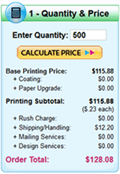
printing price calculatorOur full-service website offers the first instant printing price quote system available for online printing, serving over 150,000 satisfied print customers since 1996. Get prices for dozens of standard printing products by experimenting with different quantities and options in the InstaPrice® Calculators located on the individual product pages accessible from the menu on the left side of this page and most pages on the site.


PrintingforLess has a very simple pricing format.

1. You pay the price shown for the minimum run based on the format of your order. This pays for:

  • Electronic processing of your file, creation of a proof and production of plates
  • Setup on our Heidelberg, KBA or Xerox presses, including registration and color balance
  • The minimum quantity of finished pieces on high-quality paper stock (usually 250 or 500)
  • Trimming of your piece to final size and robust protective packaging
  • Full bleeds and some minor corrections are included free of charge

2. Then, you pay a single flat rate for each additional sheet in any quantity.

Commercial Printing Pricing Tip – Notice the Price Each and how it’s way more cost effective to order larger quantities than multiple orders of smaller quantities.

3. You can select additional options or upgrades, and instantly see the effect on the total price. Options include ink, coating, paper, folding, turnaround, shipping, mailing and other product specific features.

4. Finally, a nominal shipping charge is added and you are ready to place your order.

Need a price for something you don’t see or for special papers or printing effects?
 
Get a Custom Printing Quote


Additional Print Ordering Information

You may cancel your order anytime prior to approving your proof without incurring any charges.

Corrections are free of charge for up to two rounds of minor corrections. Typical corrections include fixing typos, resizing and color-correcting photos, moving panels to accommodate folding, and re-arranging graphic elements. Extensive corrections and/or design work may be subject to additional fees.

Once you approve your proof, your credit card will be charged the order amount and we will begin production.

By leveraging the power of the Internet to streamline the print buying process, we are able to offer top-quality professional commercial printing at a substantial discount from local printers in less time and with less hassle. That’s why we are called “PrintingforLess”.

This field is for validation purposes and should be left unchanged.

Get 20% Off*

Your First Print Order

Name(Required)

*By subscribing, you agree to receive weekly emails from Printing for Less. Some exclusions apply. See details.

RELATED MARKETING & DESIGN TIPS


Which Paper to Use

Learn how to choose paper for your business cards, booklets, brochures, greeting cards, and other print marketing materials. See paper options and get design tips here.

Read More >


Printing Product Descriptions

Printing for Less offers a variety of print marketing materials. Learn more about what products we offer and see helpful product descriptions.

Read More >


Custom Printing of Diplomas, Awards, and Certificates

Give your awards, certificates, and diplomas the appropriate degree of flair with custom printing designed by professionals. Learn more and order today!

Read More >


Our Partners

Our Partners

creativepro.com
Creativepro.com is a comprehensive online resource for creative professionals working in print and on the Web. The site provides news, reviews, how-to features, and analysis from experts in the fields of publishing, digital imaging, and creative workflow. Creativepro.com also includes essential resources and services to help creative pros get the job done—from one-click stock photography and font searches to book and software purchases to on-line print ordering. Creativepro.com is also the publisher of InDesign Magazine, the only publication devoted entirely to Adobe InDesign.


Maverick Label
MaverickLabel.com meets the fast paced and growing need for short run, quick turnaround, high quality business label services. They provide custom labeling solutions for any need, including Labels, Nameplates, Lexan, Control Panels, Asset Tags, Parking Permits, Domed Tags, Window Decals, Security Labels, U.L. Labels, Bumper Stickers, Golf-Sports ID Labels, and more… any label, any shape, size or color. Order online with instant pricing and online proofing.

Grasshopper
Sound professional and stay connected with Grasshopper, the Virtual Phone System designed for entrepreneurs. Grasshopper works just like a traditional phone system, but requires no hardware to purchase – it’s all managed online or by phone. Callers can reach you wherever you are – on your cell, in the office, or at home.


Get a toll free or local number and create extensions for employees, regardless of where they’re located. Forward calls, receive faxes, tag messages online, and get voicemails via email.


Starting at $9.95 a month with no long-term contract, Grasshopper is the obvious choice for any entrepreneur.
Special Offer: PrintingForLess.com customers get a $100 credit on their account. Click here to sign up!.

Books Just Books
Visit BooksJustBooks.com for all your book and perfect-bound magazine needs. Get instant pricing for your project on their website or read some of the self-publishing hints and best practices available there. BooksJustBooks.com buys book printing in large volumes and can resell to you at pricing normally only given to major book publishers.

Starter CRM
Web-Based Contact and Customer Management – 30 Day Free Trial
StarterCRM is a web-based tool that you can use to manage and coordinate your company’s sales and marketing activities. Use StarterCRM to store all of your customer contact data, schedule meetings, manage tasks, track proposals, create email marketing campaigns, respond to customer issues and much more. Designed for small businesses, it’s everything you need to more effectively manage your sales and marketing efforts. To learn more and take a free, no-risk 30 day free trial, visit StarterCRM today.

Start Up Nation
StartupNation provides fundamental information and inspirational support for launching and growing a successful small business.

Adobe
PrintingForLess.com is an Authorized Adobe Solutions Network Service Provider.

Microsoft
PrintingForLess.com is a member of the Microsoft Publisher Service Provider Program.

learn more

Partner with PrintingForLess.com

Contact our business development team about potential partnership opportunities with PrintingForLess.com:

Email: bizdev@printingforless.com
Phone: 800-924-2041

This field is for validation purposes and should be left unchanged.

Get 20% Off*

Your First Print Order

Name(Required)

*By subscribing, you agree to receive weekly emails from Printing for Less. Some exclusions apply. See details.

RELATED MARKETING & DESIGN TIPS


The Power of Direct Mail

This e-book explores three core ways marketers can integrate direct mail into their digital strategy: the Power of Engagement, the Power of Personalization, and the Power of Action.

Read More >


5 Steps to Producing a Great Catalog

5 step catalog marketing strategy that will help you produce a successful catalog to bridge online and offline sales channels.

Read More >


Ordering Process

Read More >


Printing Terms & Glossary


< All Resources

Print Terms & Glossary

New to the printing industry, or finding yourself lost in the weeds when industry terms start flying about commercial printing and graphic design? Look no further! Printing for Less is here to help. 

Our glossary of terms used in the graphic arts, graphic design, and commercial printing industry will help you talk like a pro about all things printing. Learn the definition of collate printing, ream, and more. 

Now you’re speaking our language (and yes, we’ve used every single one of these). 

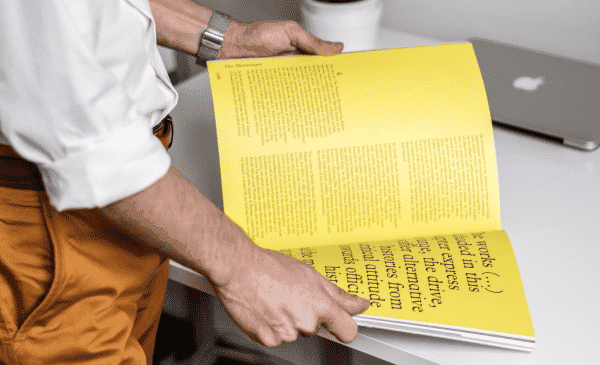
Person looking though a manual of printing terms.

0-9ABCDEFGHIJKLMNOPQRSTUVWXYZ

Every Door Direct Mail® (EDDM®) quick guide

EDDM® terms in one place, from choosing carrier routes to sizes, postage and tracking.

  • Every Door Direct Mail® (EDDM®)
  • Bundling and Labeling
  • Carrier Route
  • Clear Space
  • Drop Date
  • ECRWSS
  • EDDM® BMEU
  • EDDM® Postage
  • EDDM® Postcard
  • EDDM® Retail
  • EDDM® Size Requirements
  • EDDM® Template
  • Instant Route Select
  • No Mailing List Required
  • Response Tracking
  • Saturation Mailing

0-9

10-point C1SPaper

10-point C1S is a bristol stock, gloss coated on the outside and uncoated on the inside, used for greeting cards.

100# Gloss TextPaper

100# Gloss Text is similar to 80# gloss text but 25% thicker and heavier, for a piece that feels more substantial. Standard uses include brochures, information sheets and self-mailers.

100# Uncoated CoverPaper

100# Uncoated Cover is a bright white, smooth, #1 grade cover stock, 14 pt thick, that matches the 70# text-weight stock used for letterhead and envelopes. It is an option for business cards, rack cards and bookmarks.

120# Gloss CoverPaper

120# Gloss Cover is a high-quality, thick 14 pt stock used on all Printing for Less card products. Its glossy, coated finish makes photographs and other images look beautiful.

24# Uncoated and 28# UncoatedPaper

24# and 28# uncoated are a standard stock commonly used for envelopes, also called white wove. The 28# is thicker and heavier than the 24#.

70# Uncoated TextPaper

70# Uncoated Text covers the uncoated, non-glossy white stocks Printing for Less uses: 70# Lustre for stationery and envelopes and 70# Cougar Opaque Offset for calendars and newsletters. They are guaranteed safe for desktop laser printing and feel thick and substantial. Many common stationery stocks are not appropriate for four-color printing, so these were chosen for best results.

80# Dull/matte textPaper

80# Dull/matte text is a stock finely coated with a non-gloss finish, giving an excellent opaque base for easy-to-read, crisp typography. Standard uses include brochures, catalog inserts and flyers.

80# Gloss CoverPaper

80# Gloss Cover is a stiff cover stock, about like a postcard or baseball card, coated with a glossy finish that makes photographs and other images look beautiful. Standard uses include durable, heavy-weight brochures, catalog covers and product spec sheets.

80# Gloss TextPaper

80# Gloss Text is a standard glossy paper stock about as thick as a light magazine cover. The shiny finish gives rich process color printing an excellent opaque base. It is Printing for Less' most popular stock for brochures, catalog inserts, flyers and posters.

A

A4 PaperPaper

A4 paper is the ISO standard paper size of 210 x 297 mm (8.3 x 11.7 in), commonly used outside the US in place of 8.5 x 11 in.

Accordion FoldFinishing

An accordion fold bends each fold in the opposite direction of the previous fold, creating a pleated, accordion-like effect.

Also called: Z-fold

Related: Gate Fold Tri-Fold Scoring

Read the full entry

Acid-Free PaperPaper

Acid-free paper contains no acid or acid-producing chemicals, so it degrades more slowly over time than acidic paper.

Also called: Archival paper

Related: Cardstock

Read the full entry

Against the GrainPaper

Running against the grain means feeding a sheet through a printing press at right angles to the paper's grain direction instead of with the grain. It is usually suboptimal for both press operation and registration of the four-color process inks, and is sometimes called cross grain.

AirbrushArtwork

An airbrush is a compressed-air tool that sprays a fine mist of paint or ink, used in illustration and photo retouching.

Anti-AliasingArtwork

Anti-aliasing is the process of averaging between pixels of different colors, which gives a smoother, more blended transition at the edge of two areas instead of a jagged appearance.

Related: Raster Image DPI

Read the full entry

ArtworkArtwork

Artwork is the original physical materials, including photos, graphic images and text, needed to produce a printed piece. It can also mean the electronic or digital components used to prepare a piece for production on a press or copier.

AscenderTypography

An ascender is the part of a lowercase letter that rises above the main body of the letter, as in d, b and h.

B

Back UpProduction

Back up describes how an image on one side of a printed sheet aligns with the image on the other side.

BackslantTypography

Backslant is type that tilts to the left, or backward; it is the opposite of italic type.

BalloonArtwork

A balloon is a line in an illustration that encircles copy or dialogue.

Base lineTypography

The base line is the imaginary horizontal line on which capitals, lowercase letters and punctuation stand.

Basis WeightPaper

Basis weight, or basic weight, is the weight in pounds of a ream (500 sheets) of paper cut to the standard size for that paper grade.

Also called: Paper weight in pounds

Related: GSM Ream Caliper

Read the full entry

Belly BandFinishing

A belly band is a strip of paper wrapped around a printed piece or product to hold it together or add a message.

Also called: Paper band

Related: Foil Stamping Tip-On

Read the full entry

Bible paperPaper

Bible paper is a thin but strong, opaque paper used for bibles and books.

BinderyProduction

A bindery is a business or department within a printing company that does cutting, folding, collating, drilling and other finishing operations on printing projects.

Also called: Finishing department

Related: Saddle Stitch Scoring Collate

Read the full entry

BlanketProduction

A blanket is the rubber-surfaced material secured onto a cylinder on an offset press; ink transfers from the plate to the blanket and then to the paper.

BleedArtwork

Bleed is any element, such as a color, image or background, that extends up to or past the edge of a printed page.

Also called: Bleed area

Related: Trim Size Safe Zone Crop Marks

Read the full entry

Blind embossFinishing

A blind emboss is a design or bas-relief impression made without ink or metal foil.

BlockingProduction

Blocking is when ink or coating causes printed sheets in a pile to stick together, causing damage when they are separated. It is normally caused by too little anti-offset powder or too much ink, and usually ruins the printed job.

BodyTypography

Body is the main portion of a letter character in typography, other than the ascenders and descenders.

Bond PaperPaper

Bond paper is a grade of durable, somewhat rigid paper for writing, printing and typing that can be erased.

Also called: Writing paper

Related: Text Weight Uncoated Stock

Read the full entry

Book PaperPaper

Book paper is paper typically used for printing books, in text weight, and is divided into uncoated or offset paper and coated paper, which includes matte or gloss coating.

Bottle Neck HangerProduction

A bottle neck hanger is a printed tag with a hole or slit that hangs over the neck of a bottle.

Also called: Bottle necker

Related: Hang Tag Die Cut

Read the full entry

BounceProduction

Bounce is inconsistent positioning of the printed image on sheets as they travel through a printing press.

Box TopperProduction

A box topper is a printed card or sheet placed on top of a box to carry a message, coupon or menu.

Related: Tip-On

Read the full entry

BristolPaper

Bristol is a board paper of various thicknesses with a smooth finish, used for printing or drawing.

BulkPaper

Bulk describes the thickness of a paper relative to its weight.

BulletTypography

A bullet is a boldface square or dot placed before a sentence to emphasize its importance.

Bundling and LabelingEDDM®

Bundling and labeling means grouping EDDM® mailpieces into bundles and marking them as USPS requires before they are delivered to the post office.

Related: Every Door Direct Mail® (EDDM®) Carrier Route

Read the full entry

C

C1S and C2SPaper

C1S and C2S stand for Coated One Side and Coated Two Sides paper stock. C1S is a cover stock with a glossy finish on one side and uncoated on the other, usually between 8 pt (.008 in) and 18 pt (.018 in) thick.

Also called: Coated one side, coated two sides

Related: Coated Stock Uncoated Stock Cardstock

Read the full entry

CaliperPaper

Caliper is the thickness of paper, measured in thousandths of an inch, or mils.

Also called: Paper thickness

Related: Basis Weight GSM

Read the full entry

Carbonless PaperPaper

Carbonless paper is chemically treated so the impression made on the first page transfers to the pages beneath it.

Also called: NCR paper

Related: Sequential Numbering Perforation

Read the full entry

CardstockPaper

Cardstock is thick, rigid paper used for business cards, postcards and covers.

Also called: Cover stock

Related: GSM Text Weight

Read the full entry

Carrier RouteEDDM®

A carrier route is the set of addresses one mail carrier delivers to on a regular path.

Also called: Postal route, EDDM® route

Related: Instant Route Select Every Door Direct Mail® (EDDM®) Saturation Mailing Drop Date

Read the full entry

Case bindingBinding

Case binding is a method of binding books using hardboard (case) covers.

Cast coatedPaper

Cast coated paper is coated and then pressure dried using a polished roller, giving it an enamel-like hard gloss finish.

Center spreadArtwork

A center spread is the two facing pages in the center of a book or publication.

Chain linesPaper

Chain lines are lines that appear on laid paper from the wires of the papermaking machine.

Clear SpaceEDDM®

Clear space is an area of a mailpiece kept free of design elements so barcoding, addressing and postage markings fit.

Also called: Mail clear space

Related: Indicia EDDM® Template Safe Zone

Read the full entry

Clip artArtwork

Clip art is graphic images, designs and artwork in digital form that can be used in a digital document.

CMYKColor

CMYK is the four-ink color model used in print: cyan, magenta, yellow and black.

Also called: Process color

Related: RGB Spot Color Rich Black

Read the full entry

Coarse screenColor

A coarse screen is a halftone screen of up to 85 lines per inch, commonly used in newsprint.

Coated StockPaper

Coated stock is any paper that has a mineral coating applied after the paper is made, giving it a smoother finish.

Related: Uncoated Stock C1S and C2S Gloss Coating

Read the full entry

Coil BindingBinding

Coil binding is a method where a metal or plastic wire is spiraled through holes punched along the side of a stack of paper. It is commonly used for reports, proposals and manuals, and the pages lay flat and can rotate 360 degrees. It is also called spiral binding.

Also called: Spiral binding

Related: Wire-O Binding Comb Binding

Read the full entry

Cold colorColor

A cold color is any color toward the blue side of the color spectrum.

CollateProduction

To collate is to gather sheets or printed signatures together in their correct order.

Also called: Gathering

Related: Bindery Signature

Read the full entry

ColophonTypography

A colophon is a printer's or publisher's identifying symbol or emblem.

Color balanceColor

Color balance is the relative amounts of process colors used to reproduce an image, either digitally or on a press.

Color barsColor

Color bars are a color test strip printed on the waste portion of a press sheet. They help a press operator monitor and control quality, including ink density, registration and dot gain, and can include a Star Target that detects inking and press problems.

Color castColor

A color cast is an unwanted color tone or overall shading that distorts the normal color balance of a photographic image.

Color correctionColor

Color correction is using a computer to adjust, change or manipulate a color image, such as retouching or adjusting color balance, saturation and contrast.

Color gamutColor

A color gamut is the entire range of hues that can be reproduced on a specific system, such as a computer screen or a four-color printing press.

Color SeparationColor

Color separating is the process of separating the primary color components (CMYK) for printing.

Related: CMYK Process Printing Halftone

Read the full entry

Color sequenceColor

Color sequence is the order in which process inks are printed on a press. It is also called the color rotation or laydown sequence.

Color shiftColor

A color shift is a change in the perceived color of elements on a printed piece, caused by changes or irregularities in ink densities, dot gain or color register during a four-color press run.

Color transparencyColor

A color transparency is transparent film containing a positive photographic color image.

Comb BindingBinding

Comb binding holds a stack of paper together by inserting the teeth of a flexible plastic comb into holes punched along one edge. It is commonly used for catalogs, reports and manuals.

Also called: Plastic comb binding

Related: Coil Binding Wire-O Binding

Read the full entry

Condensed typeTypography

Condensed type is a narrow, elongated typeface.

ContrastColor

Contrast is the degree of tonal separation or gradation in the range from black to white.

CoverPaper

Cover is a general type of paper used for the covers of books and pamphlets, and also for business cards and postcards.

CoverageColor

Coverage is the extent to which ink covers the surface of a printed sheet, frequently described as light, medium or heavy.

CropArtwork

To crop is to reduce the size of an image.

Crop MarksArtwork

Crop marks are small printed lines around the edges of a printed piece that show where it is to be cut out of the sheet. They are sometimes called cut marks.

Also called: Trim marks

Related: Bleed Trim Size

Read the full entry

CrossoverArtwork

A crossover is an image, rule or line art on one printed page that carries over to an adjacent page of a bound or folded work.

CyanColor

Cyan is a shade of blue used in four-color process printing, the C in CMYK. It is also called process blue.

D

DampeningProduction

Dampening is the part of offset printing where rollers spread a solution over the non-printing area of the plate so it repels ink. Some newer presses use a waterless ink technology that does not use dampening.

DebossFinishing

To deboss is to press an image into paper with a die so it extends below the surface; it is the opposite of embossing, where the image is raised above the paper surface.

Also called: Recessed impression

Related: Embossing Foil Stamping

Read the full entry

Deckle edgePaper

A deckle edge is the rough or feathered edge of paper left untrimmed.

DensitometerColor

A densitometer is an optical device printers and photographers use to measure and control the density of ink or color.

DensityColor

Density is the degree of tone, or weight of darkness or color, within a photo or reproduction, measured by a densitometer.

DescenderTypography

A descender is the portion of a lowercase letter that extends below the main body of the letter, as in p.

Desktop PublishingArtwork

Desktop publishing is creating materials to be printed using a personal computer, instead of taking non-electronic documents to a commercial printing company to be prepared for printing.

Die CutFinishing

Die cutting is cutting paper into a shape or design using a wooden die or block holding steel rules in the shape of the desired pattern.

Also called: Custom shape

Related: Trim Size

Read the full entry

Digital PrintingProduction

Digital printing applies toner or ink directly from a digital file with no printing plates.

Related: Offset Printing Variable Data Printing

Read the full entry

Digital ProofProduction

A digital proof is made by storing color separation data digitally and exposing it onto color photographic paper, creating a picture of the final product before it is printed with ink.

DitheringArtwork

Dithering is the process of averaging between pixels of different colors for a smoother, blended transition at the edge of two areas instead of a jagged, stair-step look. It is also a method used on inkjet printers, where colors are produced by mixing colored dots in a randomized pattern.

Door HangerProduction

A door hanger is a die cut piece of card with a slot or hole that hangs on a doorknob.

Related: Die Cut Hang Tag

Read the full entry

DotColor

A dot is the smallest individual element of a halftone.

Dot GainColor

Dot gain is when halftone dots print larger than they should.

Related: Halftone CMYK

Read the full entry

Double bumpColor

A double bump prints a single area of the sheet twice so it has two layers of ink, usually on solid ink areas to increase smoothness or density.

DPIArtwork

DPI (dots per inch) measures how many printed dots fit in one inch.

Also called: PPI, Resolution

Related: Raster Image Vector Graphic

Read the full entry

DrillBinding

Drilling is making holes in paper for ring or comb binding.

Drop DateEDDM®

The drop date is the date a mailing is handed to USPS for delivery.

Also called: Mailing date

Related: Carrier Route Every Door Direct Mail® (EDDM®)

Read the full entry

Drop shadowArtwork

A drop shadow is a shadow image placed offset behind an image to create the effect of the image lifting off the page.

Dull finishPaper

A dull finish is a semi-gloss paper finish that is less glossy than gloss and glossier than matte.

DummyArtwork

A dummy is a preliminary assemblage of copy and art elements for the desired finished product, also called a comp.

DuotoneColor

A duotone is a two-color halftone reproduction made from a one-color photo.

Dye sublimationProduction

Dye sublimation is a method that creates a photographic-looking color print by heating dyes on a substrate instead of using inks. It is often used for proofing.

E

ECRWSSEDDM®

ECRWSS stands for Extended Carrier Route Walk Sequence Saturation, a USPS endorsement that appears on saturation mail in place of individual addresses.

Also called: Extended Carrier Route Walk Sequence Saturation

Related: Saturation Mailing Indicia Carrier Route

Read the full entry

EDDM® BMEUEDDM®

EDDM® BMEU, also called EDDM®-Business, is the USPS option for entering EDDM® mail through a Business Mail Entry Unit, which uses a mailing permit and a postage statement.

Also called: EDDM®-Business, Business Mail Entry Unit

Related: EDDM® Retail Indicia Every Door Direct Mail® (EDDM®)

Read the full entry

EDDM® PostageEDDM®

EDDM® postage is the USPS cost of delivering an EDDM® mailing, and Printing for Less says total cost depends on piece size, quantity, printing specifications and current USPS postage rates.

Also called: EDDM® cost

Related: Every Door Direct Mail® (EDDM®) Indicia Quote

Read the full entry

EDDM® PostcardEDDM®

An EDDM® postcard is a postcard printed at an EDDM®-eligible size and mailed to every address on selected carrier routes.

Also called: EDDM® postcards

Related: EDDM® Template EDDM® Size Requirements Every Door Direct Mail® (EDDM®)

Read the full entry

EDDM® RetailEDDM®

EDDM® Retail is the USPS option for taking an EDDM® mailing to a Post Office retail counter, using an online order form and no mailing permit.

Also called: EDDM® retail

Related: EDDM® BMEU Every Door Direct Mail® (EDDM®)

Read the full entry

EDDM® Size RequirementsEDDM®

Printing for Less lists EDDM® size limits as a minimum of 10.5 in long or 6.125 in high and a maximum of 15 in long or 12 in high.

Also called: EDDM® sizes, EDDM® dimensions

Related: EDDM® Template EDDM® Postcard Trim Size Self-Mailer

Read the full entry

EDDM® TemplateEDDM®

An EDDM® template is a USPS-compliant layout file that shows where design elements and clear space belong on an EDDM® mailpiece.

Also called: USPS mail layout template

Related: Clear Space EDDM® Size Requirements EDDM® Postcard

Read the full entry

Electronic ProofProduction

An electronic proof is a prepress proof made by electronically exposing paper to the color separation negatives and passing it through electrically charged pigmented toners, which adhere electrostatically to form the finished proof.

EmbossingFinishing

Embossing is molding and reshaping paper with special metal dies and heat, counter dies and pressure, to produce a raised image on the paper surface.

Also called: Raised print

Related: Foil Stamping

Read the full entry

EnamelPaper

Enamel is another term for gloss coated paper.

EPSArtwork

EPS stands for Encapsulated PostScript, a standard file format used to transfer PostScript formatting information between applications.

Also called: Encapsulated PostScript

Related: Vector Graphic PDF/X

Read the full entry

Every Door Direct Mail® (EDDM®)EDDM®

Every Door Direct Mail® (EDDM®) is a USPS program that lets businesses send direct mail to every address on selected carrier routes without needing a mailing list.

Also called: EDDM®, EDDM® mailing, EDDM® marketing

Related: Carrier Route Saturation Mailing No Mailing List Required EDDM® Size Requirements EDDM® Template EDDM® Postage

Read the full entry

F

Felt sidePaper

The felt side is the smoother side of a sheet of paper; the wire side is the rougher side. The difference comes from the papermaking process and disappears when paper is gloss or matte coated.

Fifth ColorColor

A fifth color is an ink added to a printed piece in addition to the standard cyan, magenta, yellow and black of four-color process, usually a Pantone spot color or custom ink. It requires an extra run through a four-color press, which adds cost. Some presses have five units to handle fifth colors or clear coatings.

Related: Spot Color Pantone CMYK

Read the full entry

FinishPaper

Finish is the surface quality of a paper.

FitColor

Fit is the registration of the different colors on a printed sheet.

FlexographyProduction

Flexography is a printing method using flexible plates where the image to print is raised above the non-printing areas. The inked raised areas contact the material and transfer the ink, usually with fast-drying inks. It is commonly used to print cans, bottles and other non-flat items.

Also called: Flexo

Related: Offset Printing Digital Printing

Read the full entry

FoilFinishing

Foil is the thin metal sheet applied to paper in the foil stamping process. It is frequently gold but is available in many colors.

Foil EmbossingFinishing

Foil embossing is stamping a thin sheet of metallic foil onto paper and then embossing a pattern under it, creating a raised three-dimensional area, usually text or an image.

Foil StampingFinishing

Foil stamping is impressing metallic foil onto paper with a heated die.

Also called: Hot foil

Related: Embossing

Read the full entry

FontTypography

A font is the set of characters that make up a complete typeface at one size.

FPO – For Position OnlyArtwork

FPO, or For Position Only, refers to low-resolution or mockup images used to show placement and size in a design that are not intended for final production.

Free sheetPaper

Free sheet is any paper that is free from wood pulp impurities.

G

GangingProduction

Ganging is combining two or more different printing projects on the same sheet of paper.

Also called: Gang run

Related: Imposition Make-Ready

Read the full entry

Gate FoldFinishing

A gate fold is a three- or four-panel fold where the two outside panels fold inward to meet in the center. An open gate fold has three panels, the bottom one twice the size of the folded panels; a closed gate fold has four panels of roughly equal size, with the outer panels folded inward together.

Also called: Gatefold

Related: Accordion Fold Tri-Fold

Read the full entry

GatheringProduction

Gathering is assembling sheets of paper and signatures into their proper sequence. See also collate.

GhostingProduction

Ghosting, also called gloss ghosting, is a condition during printing where vapors from drying ink on one side of a press sheet react chemically with dry ink or blank paper on sheets in contact with it, or on the reverse side of the same sheet, creating unintended faint images.

Gloss CoatingFinishing

Gloss coating is a shiny finish that makes colors look vivid and resists fingerprints less than matte.

Also called: Gloss finish

Related: Matte Coating Spot UV

Read the full entry

GrainPaper

Grain is the direction in which paper fibers lie in a sheet. Printing is usually done so that any fold runs parallel to the grain.

GravureProduction

Gravure is a printing process that uses recessed areas on a metal cylinder to hold the ink.

GripperProduction

A gripper is one of a series of metal fingers that hold each sheet of paper as it passes through a printing press.

Gripper edgeProduction

The gripper edge is the side of a sheet held by the gripper fingers as it passes through a press. Nothing can be printed in this area.

GSMPaper

GSM means grams per square meter and measures paper weight.

Also called: Paper weight

Related: Cardstock Text Weight

Read the full entry

GutterArtwork

A gutter is a blank space or margin between components on a printed piece or press sheet.

Also called: Inner margin

Related: Safe Zone Bleed

Read the full entry

H

HalftoneColor

A halftone uses small dots to produce the impression of a continuous-tone image, by varying the dot size and the number of dots per square inch.

Also called: Screening

Related: Dot Gain Moiré Process Printing

Read the full entry

Halftone screenColor

A halftone screen is a sheet of film or glass with ruled right-angled lines, used to translate the full tone of a photo into the halftone dot image needed for printing.

Hang TagProduction

A hang tag is a printed tag attached to a product with a string, loop or elastic.

Also called: Swing tag

Related: Door Hanger Die Cut

Read the full entry

HickeyProduction

A hickey is a spot or imperfection in printing caused by a speck of dust or debris, frequently dried ink, sticking to the printing plate.

HighlightsColor

Highlights are the lightest tones of a photo, printed halftone or illustration. In a finished halftone they are represented by the finest dots.

Hot meltBinding

Hot melt is an adhesive used in some binding processes that requires heat for application.

House sheetPaper

A house sheet is a paper that a printer keeps on hand in their shop.

I

Image areaProduction

The image area is the portion of a printing plate that carries ink and prints on paper.

ImpositionProduction

Imposition is the correct sequential arrangement of pages to be printed, with all margins in proper alignment, before the plates for printing are made.

Related: Signature Ganging Prepress

Read the full entry

IndiciaMailing

An indicia is an image or text preprinted on mailing envelopes in place of a stamp.

Also called: Permit imprint

Related: Every Door Direct Mail® (EDDM®) Self-Mailer

Read the full entry

Ink Dry BackColor

Ink dry back is when printed ink colors become lighter or less dense after they dry on the paper.

InsertProduction

An insert is a piece of printed material placed inside another printed piece, such as a magazine or catalog.

Instant Route SelectEDDM®

Instant Route Select is the Printing for Less tool for choosing EDDM® carrier routes and seeing household counts, business counts and demographics for each route.

Also called: Route select tool

Related: Carrier Route Every Door Direct Mail® (EDDM®)

Read the full entry

ItalicTypography

Italic is type slanted forward to denote emphasis.

J

JacketBinding

A jacket, or dust jacket, is the paper cover, sometimes called the dust cover, of a hardbound book.

JogProduction

To jog is to vibrate a stack of finished pages so they are tightly aligned for final trimming or binding.

JPEGArtwork

JPEG is a common image format that shrinks file size by discarding some image detail.

Also called: JPG

Related: Raster Image DPI PDF/X

Read the full entry

JustificationTypography

Justification is adjusting the spacing or hyphenation of words and characters to fill a line of text from end to end. It is sometimes called word spacing.

K

KerningTypography

Kerning is narrowing the space between two letters so they sit closer together and take up less space on the page.

Related: Leading

Read the full entry

KeylineArtwork

A keyline is a line drawn on artwork to show the exact placement, shape and size of elements such as halftones and illustrations.

Kraft PaperPaper

Kraft is a coarse, unbleached paper used for printing and industrial products.

Also called: Brown paper

Related: Uncoated Stock Cardstock

Read the full entry

L

Laid finishPaper

Laid finish is a paper with parallel lines that gives it a handmade look.

LaminationFinishing

Lamination is applying thin transparent plastic sheets to both sides of a sheet of paper for scuff resistance, waterproofing and extended use.

Also called: Laminate

Related: Liquid Laminate Soft Touch Coating Gloss Coating

Read the full entry

LandscapeArtwork

Landscape is a document layout where the width is greater than the height; it is the opposite of portrait.

Also called: Horizontal orientation

Related: Portrait Trim Size

Read the full entry

LayoutArtwork

A layout is a rendition showing the placement of all elements, images and thumbnails of a final printed piece.

LeadingTypography

Leading is the space between lines of type, measured in points from one baseline to the next.

Also called: Line spacing

Related: Kerning

Read the full entry

LetterpressProduction

Letterpress is printing that uses inked raised surfaces, usually type, to create the image.

LetterspacingTypography

Letterspacing is adding space between typeset letters.

Line copyArtwork

Line copy is any copy that can be reproduced without a halftone screen.

LinenPaper

Linen is a paper that emulates the look and texture of linen cloth.

Liquid LaminateFinishing

Liquid laminate is a clear coating applied as a liquid and cured to protect a printed piece.

Also called: Liquid lamination

Related: Lamination UV Coating Gloss Coating

Read the full entry

LithographyProduction

Lithography is a printing process that uses flat or curved inked surfaces to create the printed images.

LogotypeTypography

A logotype is a personalized type or design symbol for a company or product.

LoupeProduction

A loupe is a small magnifier used to observe the details on a printed sheet.

M

M weightPaper

M weight is the actual weight of 1,000 sheets of paper of a given size.

MagentaColor

Magenta is one of the four process colors in CMYK, the M, a predominantly red color with some blue. Magenta, cyan and yellow are also the three subtractive primary colors.

Magnetic blackColor

Magnetic black is black ink containing iron oxides, used for magnetic ink character recognition in check printing.

Make-ReadyProduction

Make-ready is paper used in the press set-up process before a printing run starts, or the process of setting up press or bindery equipment for a specific product, including paper size, ink density, image alignment and fold sizes.

Also called: Press setup

Related: Press Check Overrun

Read the full entry

Matte CoatingFinishing

Matte coating is a smooth, non-reflective finish with a soft, modern look.

Also called: Matte finish

Related: Gloss Coating

Read the full entry

Matte finishPaper

Matte finish is a coated paper finish that goes through minimal calendaring.

Metallic InkColor

Metallic ink is ink that looks metallic when printed, made with powdered metal or metallic-looking pigments. Gold and silver are the most common colors.

Related: Spot Color Fifth Color Foil Stamping

Read the full entry

MoiréColor

Moiré is an undesirable halftone pattern produced by incorrect angles of overprinting halftone screens.

Also called: Moire pattern

Related: Halftone

Read the full entry

MottleProduction

Mottle is spotty or uneven ink absorption.

N

NaturalPaper

Natural is a term for papers with a color similar to wood, also called cream, off-white or ivory.

NewsprintPaper

Newsprint is a light, low-cost, unbleached paper made especially for newspaper printing.

Related: Uncoated Stock

Read the full entry

No Mailing List RequiredEDDM®

With EDDM® you do not need a mailing list, because the mailpieces do not carry individual names and addresses.

Also called: Unaddressed mail

Related: Every Door Direct Mail® (EDDM®) Saturation Mailing Variable Data Printing

Read the full entry

O

OffsetProduction

Offset is an erroneous variation of the word setoff: ink unintentionally transferred from a printed sheet to the back of the sheet above it when pieces are stacked in a pile.

Offset paperPaper

Offset paper is a term sometimes used for uncoated book paper.

Offset PrintingProduction

Offset printing is the most commonly used printing method. The printed material gets ink not directly from a plate but from an intermediary blanket that receives the ink from the plate and transfers it to the paper.

Also called: Offset lithography

Related: Digital Printing

Read the full entry

OnionskinPaper

Onionskin is a light bond paper used for typing and with carbon paper because of its thinness.

OpacityPaper

Opacity is a quality of paper that defines its opaqueness, or its ability to prevent two-sided printing from showing through.

Also called: Show-through resistance

Related: Basis Weight Text Weight

Read the full entry

Opaque inkColor

Opaque ink is ink that completely covers any ink under it.

Overlay proofProduction

An overlay proof is made by exposing the color separations individually to light-sensitive film, which is then set in registration over a piece of white paper.

OverprintingColor

Overprinting is any printing done on an area that has already been printed.

Also called: Overprint

Related: Trapping Rich Black Registration

Read the full entry

OverrunProduction

An overrun is the quantity of sheets printed over the requested number of copies.

Also called: Overs

Related: Make-Ready

Read the full entry

P

Page CountBinding

Page count is the total number of pages in a book, magazine or publication. It is sometimes called the extent.

PaginationArtwork

Pagination is the numbering of individual pages in a multi-page document.

PantoneColor

Pantone is a standardized color-matching system that assigns numbered codes to specific colors.

Also called: PMS

Related: Spot Color CMYK

Read the full entry

ParchmentPaper

Parchment is a hard-finished paper that emulates animal skin, used for documents such as awards that are written on by hand.

Parent sheetPaper

A parent sheet is a sheet larger than the cut stock of the same paper.

PDF/XArtwork

PDF/X is a family of PDF standards designed for reliable exchange of print-ready files.

Also called: Print-ready PDF

Related: EPS CMYK Prepress

Read the full entry

Perfect BindingBinding

Perfect binding is a binding process where the signatures of a book are held together by a flexible adhesive.

Also called: Glue binding

Related: Saddle Stitch Wire-O Binding

Read the full entry

Perfecting pressProduction

A perfecting press is a printing press that prints on both sides of a sheet in a single pass.

PerforationFinishing

Perforation is a line of small cuts that lets a section be torn off by hand.

Also called: Tear-off

Related: Scoring

Read the full entry

PicaTypography

A pica is a typesetting unit of measurement equal to one-sixth of an inch.

PickingProduction

Picking is when the tack of ink pulls fibers or coating off the paper surface, leaving spots on the printed surface.

Plastic combBinding

Plastic comb is a method of binding books where holes are drilled along the spine and a plastic gripping device is inserted to hold the pages together.

PMSColor

PMS is the abbreviation for the Pantone Color Matching System.

PointTypography

A point is a measurement unit equal to 1/72 of an inch; there are 12 points to a pica and 72 points to an inch.

PortraitArtwork

Portrait is a document layout in which the height is greater than the width; it is the opposite of landscape.

Also called: Vertical orientation

Related: Landscape Trim Size

Read the full entry

PostScriptArtwork

PostScript is Adobe Systems' trade name for its page description language, which translates a digital file from an application into a language a compatible printer or other device can use to create output.

PpiArtwork

PPI stands for pages per inch or pixels per inch.

PremiumPaper

Premium is any paper considered better than grade #1 by its manufacturer.

PrepressProduction

Prepress is the set of checks and file preparation steps done before a job goes on press.

Also called: Preflight

Related: Proof Bleed

Read the full entry

Press ProofProduction

A press proof is a printed sample made on the press a project will run on, showing exactly how it will print with the paper, ink and plates to be used for the final run.

Pressure-sensitivePaper

Pressure-sensitive paper is self-adhesive paper covered by a backing sheet.

Process PrintingColor

Process printing is a system where a color image is separated into cyan, magenta, yellow and black (CMYK) values, using filters and screens or software, then transferred to printing plates and printed on a press to reproduce the original color image.

Also called: Four-color process, 4-color printing

Related: CMYK Halftone Color Separation

Read the full entry

Progressive proofsProduction

Progressive proofs are proofs made from the separate colors of a multi-color printing project.

Promo CodeMailing

A promo code is a code printed on a mailpiece that customers use to claim an offer, which lets you tie sales back to that mailing.

Also called: Offer code, Coupon code

Related: Response Tracking Vanity URL

Read the full entry

ProofProduction

A proof is a preview of a print job used to approve layout and content before full production.

Related: Prepress

Read the full entry

Q

QR CodeMailing

A QR code is a square barcode that a phone camera can scan to open a web page.

Related: Response Tracking Vanity URL

Read the full entry

QuarkArtwork

Quark is short for QuarkXPress, one of the primary computer applications used in graphic design.

QuoteProduction

A quote, or quotation, is a price estimate to produce a specific printed piece, frequently with custom attributes that standard online pricing tools cannot price.

Also called: Quotation

Related: Prepress

Read the full entry

R

Rack CardProduction

A rack card is a narrow, sturdy card designed to sit in a display rack.

Related: Cardstock Door Hanger

Read the full entry

Rag paperPaper

Rag paper is paper made with complete or partial cotton fiber content.

Ragged leftTypography

Ragged left is right-justified type that is uneven on the left.

Ragged rightTypography

Ragged right is left-justified type that is uneven on the right.

Raster ImageArtwork

A raster image is built from a grid of pixels, such as a photo.

Also called: Bitmap

Related: DPI Vector Graphic

Read the full entry

ReamPaper

A ream is 500 sheets of paper.

Related: Basis Weight

Read the full entry

Register marksProduction

Register marks are crossmarks or other symbols on a press sheet used to ensure proper registration.

RegistrationColor

Register is the arrangement of two or more printed images in exact alignment with each other.

Also called: Register, fit

Related: Trapping Overprinting Dot Gain

Read the full entry

Response TrackingEDDM®

Response tracking measures how many recipients act on a mailing, using methods such as QR codes, custom or vanity URLs, promo codes and dedicated phone numbers.

Also called: EDDM® tracking, Campaign tracking, ROI tracking

Related: QR Code Vanity URL Promo Code Every Door Direct Mail® (EDDM®)

Read the full entry

RGBColor

RGB is the color space of red, green and blue, the primary colors of light, which computers use to display images. An RGB file must be translated into CMYK, the primary colors of pigment, to be printed on a press.

Related: CMYK

Read the full entry

Rich BlackColor

Rich black is a deep, dark black made by using multiple ink colors in addition to black. Common CMYK values are 30% cyan, 20% magenta, 20% yellow and 100% black.

Related: CMYK

Read the full entry

Right angle foldFinishing

Right angle folds are folds that are 90 degrees to each other.

Rip CardProduction

A rip card is a card with a tear-off portion, such as a coupon or business card.

Also called: Tear-off card

Related: Perforation Self-Mailer

Read the full entry

Running headTypography

A running head is a title at the top of a page that appears on all pages of a book or chapter.

S

Saddle StitchBinding

Saddle stitch is binding booklets or other printed materials by stapling the pages along the folded spine.

Related: Perfect Binding Wire-O Binding

Read the full entry

Safe ZoneArtwork

The safe zone is the inner margin where text and logos stay clear of the cut edge.

Also called: Safety margin

Related: Bleed Trim Size

Read the full entry

Safety paperPaper

Safety paper is paper that shows signs of erasure, so it cannot be altered or tampered with easily.

Saturation MailingEDDM®

A saturation mailing reaches every address in a chosen area, such as a ZIP Code, neighborhood or carrier route.

Also called: Saturation, Saturation mail

Related: Carrier Route Every Door Direct Mail® (EDDM®) No Mailing List Required

Read the full entry

ScoringFinishing

Scoring is creasing paper with a metal rule to make folding easier.

Also called: Creasing

Related: Cardstock

Read the full entry

Screen anglesColor

Screen angles are the placement of halftone screens to avoid unwanted moiré patterns. Frequently used angles are black 45º, magenta 75º, yellow 90º and cyan 105º.

Screen rulingColor

Screen ruling is a measurement of the number of lines or dots per inch on a halftone screen.

Screen tintColor

A screen tint is a printed area of color created by dots of a certain screen percentage instead of a layer of solid ink, frequently used to create a colored area or tint an entire sheet instead of using colored paper.

ScumProduction

Scum is unwanted ink deposits in the non-image area of a printed piece.

Self coverBinding

A self cover is a cover made of the same paper stock as the internal sheets.

Self-MailerMailing

A self-mailer is a mail piece that goes through the mail without an envelope.

Related: Indicia Every Door Direct Mail® (EDDM®) Tri-Fold

Read the full entry

Sequential NumberingProduction

Sequential numbering prints a unique, rising number on each piece in a run.

Also called: Consecutive numbering

Related: Carbonless Paper Variable Data Printing

Read the full entry

SharpenColor

To sharpen is to decrease the dot size of a halftone, which decreases color strength.

SheetwiseProduction

Sheetwise printing prints two different images on the two sides of a sheet by turning the sheet over after the first side is printed, using the same gripper and side guides.

Show throughPaper

Show through is when printing on one side of a sheet can be seen from the other side, a frequent problem with thin papers.

Side guideProduction

A side guide is one of the guides on the sides of a press that consistently position the sheet sideways as it is fed through.

Side stitchBinding

Side stitch is stapling sheets or signatures on the side closest to the spine.

SignatureProduction

A signature is a printed sheet with multiple pages that is folded so the pages are in proper numbered sequence, as in a book.

Related: Imposition Collate Saddle Stitch

Read the full entry

SmartFlex Synthetic PaperPaper

SmartFlex is a synthetic paper that is waterproof and tear-resistant but feels like regular paper.

Also called: SmartFlex

Related: Cardstock Lamination

Read the full entry

SmoothnessPaper

Smoothness is the levelness of a paper, which allows consistent pressure in printing and uniform print.

Soy InkColor

Soy inks are inks made with soy oils instead of petroleum as the base. They are considered more environmentally friendly and a standard component of green printing.

Related: Process Printing

Read the full entry

Spiral bindBinding

Spiral binding is a type of binding where a metal or plastic wire is spiraled through holes drilled along the binding side of a document.

Spot ColorColor

A spot color is a premixed ink matched to a specific color, used instead of or beside CMYK.

Also called: Solid ink

Related: CMYK Pantone

Read the full entry

Spot UVFinishing

Spot UV is a clear glossy coating applied to selected areas of a printed piece.

Also called: Spot gloss

Related: Gloss Coating Matte Coating

Read the full entry

StockPaper

Stock is unprinted paper.

Super calendaringPaper

Super calendaring is a machine procedure that produces a very smooth paper surface that is exceptional for printing.

Synthetic papersPaper

Synthetic papers are any non-wood, non-cloth papers, usually petroleum (plastic) based.

T

Table TentProduction

A table tent is a folded card that stands on a tabletop to display a message.

Related: Scoring Die Cut

Read the full entry

Text WeightPaper

Text weight paper is lighter paper used for the inside pages of booklets, flyers and brochures.

Also called: Text stock

Related: Cardstock GSM

Read the full entry

ThermographyFinishing

Thermography is a printing process where slow-drying ink is applied to paper and, while still wet, lightly dusted with a resinous powder. The paper then passes through a heat chamber where the powder melts and fuses with the ink to produce a raised surface.

Also called: Raised ink

Related: Embossing Foil Stamping

Read the full entry

TintColor

A tint is a halftone screen containing all the same-sized dots, or a diluted variation of a full-strength color.

Tip-OnFinishing

A tip-on is an item, such as a card or sample, attached to a printed page with adhesive.

Also called: Tipped-on item

Related: Belly Band Box Topper

Read the full entry

TrappingColor

Trapping is overlapping one color over a different, adjacent color so no white space shows where the two meet, especially when registration varies slightly during printing. It can also mean printing wet ink over wet or dry previously printed ink.

Related: Registration Overprinting

Read the full entry

Tri-FoldFinishing

A tri-fold folds a sheet into three panels, usually with two parallel folds.

Also called: Letter fold

Related: Accordion Fold Gate Fold Scoring

Read the full entry

Trim marksArtwork

Trim marks are marks placed on a printed sheet to show where cuts should be made.

Trim SizeArtwork

Trim size is the final size of a printed piece after it is cut from the sheet it was printed on.

Also called: Finished size

Related: Bleed Safe Zone

Read the full entry

TypoTypography

A typo is a spelling mistake in printed material caused by an error in typing or setting type.

U

Uncoated StockPaper

Uncoated stock is paper without a surface coating, giving it a natural, slightly textured feel.

Also called: Uncoated paper

Related: Coated Stock Bond Paper

Read the full entry

Undercolor removalColor

Undercolor removal is removing cyan, magenta or yellow from a heavily colored image to limit the total ink applied and avoid potential production problems.

UpProduction

Up describes how many similar pieces can be printed on a larger sheet, such as two up or four up.

V

Vanity URLMailing

A vanity URL is a short, memorable web address created for one campaign and printed on the mailpiece.

Also called: Custom URL

Related: Response Tracking QR Code Promo Code

Read the full entry

Variable Data PrintingProduction

Variable data printing is a form of on-demand printing where elements such as text, graphics and photographs change from one printed piece to the next, without stopping or slowing the press, using information from a database. For example, a set of personalized letters with the same basic layout can each carry a different name and address.

Also called: VDP

Related: Digital Printing

Read the full entry

VarnishFinishing

Varnish is a clear coating added to printed material as a protective layer, for improved scuff resistance and usually higher gloss.

Also called: Clear coat

Related: UV Coating Gloss Coating Matte Coating

Read the full entry

Vector GraphicArtwork

A vector graphic is built from mathematical paths and scales to any size without losing quality.

Related: Raster Image DPI

Read the full entry

VellumPaper

Vellum is a paper finish that is somewhat bulky and slightly rough.

VignetteArtwork

A vignette is a photo or illustration in which the tones fade gradually away until they blend with the background they are printed on.

VOCsColor

VOCs are volatile organic compounds, petroleum-based chemicals used in some printing inks and coatings, whose high vapor pressure lets them evaporate easily into the air.

W

Warm colorColor

A warm color has a reddish tone rather than a blue tone. Browns, oranges, reds and yellows are generally considered warm.

WashupProduction

Washup is the procedure of cleaning a particular ink from a unit of a printing press.

WatermarkPaper

A watermark is a translucent mark or image embossed during papermaking, or printed onto paper, that is visible when the paper is held up to the light.

Web PressProduction

A web press is a printing press that prints on rolls of paper passed through in one continuous piece, instead of individual sheets.

Also called: Roll-fed press

Related: Offset Printing Make-Ready

Read the full entry

WidowTypography

A widow is a single word or two left at the end of a paragraph, or part of a sentence ending a paragraph, that carries over to the next page and stands alone. It can also be the last sentence of a paragraph that contains only one or two short words.

Related: Kerning Leading

Read the full entry

Wire-O BindingBinding

Wire-O binding threads a double-loop metal wire through punched holes along the edge.

Also called: Double-loop wire

Related: Saddle Stitch Perfect Binding

Read the full entry

Work and TurnProduction

Work and turn is a production format with the front and back of a piece on one side of the sheet, which is then printed the same way on the back side, producing two copies of the piece.

WovePaper

Wove is a smooth paper with a gentle patterned finish.

Writing paperPaper

Writing paper is another name for bond paper.

X

Xerographic PaperPaper

Xerographic paper is paper made to reproduce well in copy machines.

Also called: Copy paper

Related: Bond Paper Uncoated Stock

Read the full entry

Y

YellowColor

Yellow is one of the four process ink colors in CMYK, the Y.

Also called: Process yellow

Related: CMYK Process Printing

Read the full entry

Z

Zip FileArtwork

A zip file compresses one or more files into a smaller archive, using less hard drive space and less transfer time across a network or the internet.

Also called: Compressed archive

Related: PDF/X EPS

Read the full entry

No matching terms.

  • « Go to Previous Page
  • Page 1
  • Page 2
  • Page 3
  • Page 4

Footer

Printing for Less

info@printingforless.com
100 P F L Way, Livingston, MT 59047

800-930-2423

Printing Products

  • Brochure Printing
  • Postcard Printing
  • Catalog Printing
  • Business Card Printing
  • Direct Mail Letter Printing
  • All Printing Products

Direct Mail & Services

  • Every Door Direct Mail®
  • Direct Mail Marketing
  • Mailing Services
  • Custom Printing Services
  • Graphic Design Services
  • Printing Reseller Program

Resources

  • Direct Mail Resource Center
  • Printing Resource Center
  • Print Templates
  • Printing & Direct Mail Blog
  • Video Library
  • Industries We Serve

About & Support

  • About Printing for Less
  • Contact Us
  • Request Free Samples
  • Get a Quote
  • Customer Login
  • Careers

Copyright © 1998-2026 PrintingforLess.com. All Rights Reserved. | Terms & Conditions

logo
  • 800-930-2423
  • Products
  • Direct Mail Marketing
  • Services
  • Industries
  • Direct Mail Marketing Resources
  • Printing & Mailing Resources
  • Get a Quote
  • Contact Us
  • My Login
Holiday Popup
This field is for validation purposes and should be left unchanged.

Get 20% Off*

Your First Print Order

Name(Required)

*By subscribing, you agree to receive weekly emails from Printing for Less. Some exclusions apply. See details.