My Login
Custom Notepads Printing Services
Get Help With Notepad Printing, Marketing and Design:
Create professional-quality personalized notepads using your company logo or photos. Custom note pads can be ordered in any size and have a variety of options. Our knowledgeable team can help you find the right solution for your custom notepad printing project. To get started, give our helpful experts a call at 800-930-2423 or check prices on our standards sizes below.
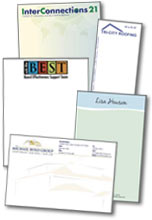
Personalized Notepads
A personalized notepad is a great little advertising device. Take a look at what you have on your desk. Aside from the obvious computer, stacks of paper, maybe a mug of coffee and a few pens, odds are you have a notepad, memo pad or scratch pad. And it is probably from someone else’s company. Each day you look at it, use it for a list of the day’s events, jot down notes, stats or figures, you are reminded of that company’s name and logo. It is like a small, practical billboard on your desk.
Everyone appreciates a small, useful pad of paper. Your company name and logo gets attention every time it’s used and one of those notes is passed along. “The business notepad is referred to almost daily, kept for 30 days or so and carries a high remembrance factor,” says Elliott Black, a Northbrook, Ill., marketing consultant who specializes in small business marketing.
Keep the Design Simple
The key to printing custom notepads is restraint. Make them stand out but keep them simple. Provide your company name and logo at the top, phone number, address and website underneath; that’s it. Notepads are a great prompt or reminder of YOUR company, and possibly just enough to stop a fickle customer from forgetting you, even for a moment. Don’t clutter it up, or use up too much of that useful space with catch phrases, designs and borders. It is, after all, a notepad — but that prime real estate at the top is for your business information. See some note pad designs and memo pad design examples.
Layout Options
Laying out and printing a notepad or memo pad is very straightforward. Decide on an attractive size, how many pages per pad the total number of pads you want, how much space at the top of the page your information will cover, whether to use color or black ink only, and the type of writing paper.
Common notepad sizes are 4.25″ x 5.5″, 4 x 6″, 3.5″ x 8.5″, 5 x 7″, 5.5 x 8.5″ and up to 8.5 x 11″. Pages per pad range from 25 to 100 or more, and some like to add distinctive details such as rounded corners. Choose easy-to-read fonts that are “sans serif,” such as Impact, Arial, Myriad or Verdana, and use white paper — it is usually more cost effective, and shows off any kind of pen, pencil or marker.
Visit our Post-it® Notes page for custom printed Post-it® Note Pads.
Part of a Total Branding Package
Notepads can be a stand-alone free perk for your clients, or part of a total branding package. This will likely include your business card, brochure, catalog and folder, and other marketing collateral. And many times, the only thing that doesn’t go into the trash are the business card and – you guessed it – the notepad. Custom notepads or scratch pads are a functional giveaway your clients will use on a daily basis, and the benefit is the reminder it provides for them to keep you in mind each time their pen hits the paper.
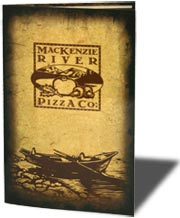 How you’ll fold a menu is an important decision. A fold affects both the aesthetics and function of the menu. It determines which dishes and beverages your customer sees first and affects the size of your menu. Folds can decrease the finished size of your menu without reducing the space for your message.
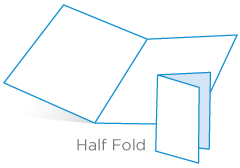 A half-fold is a single sheet menu folded in half. The half-fold is constructed by folding a sheet of paper to create 2 panels on each side of the paper.
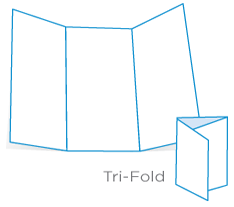 A tri-fold menu is a single sheet of paper printed on both sides and folded into thirds. A tri-fold menu is perfect for a large menu or a menu with a variety of options. With 6 panels, a tri-fold allows you to segment your menu more easily. You can have a separate panel for starters, small plates and entrees.
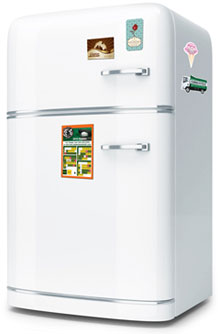
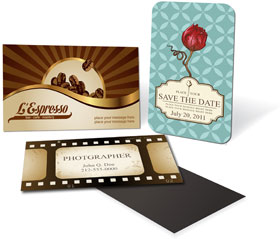 Magnetic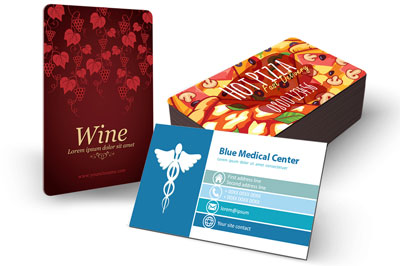
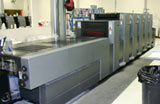 It’s startling, though, how little information there is on the subject of going to press these days. I don’t mean how to use InDesign’s Print dialog or why you should use CMYK instead of RGB color swatches. I’m referring to best practices for going to press. My friend Sandee Cohen recently mentioned that she’d met a woman who, within the last five years, had graduated college with a graphic design degree—which included at least one full year learning in InDesign—but without any instructor ever having defined the word “prepress” or having explained how layouts get from InDesign to ink on substrate!
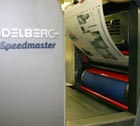 So what should you ask your printer? Everything. Pardon the banality of this, but it needs to be said: The only dumb question is the one unasked. No matter how much or how little experience you have in print design and working with print providers, every printer worth hiring will be happy to educate you about his shop’s unique processes, tell you what to do in InDesign (and other applications), to ensure that your job prints to the highest quality possible, on time, with the least amount of stress for you and the printer’s personnel. If there’s something you don’t know about the printing process, how to prepare your files for press, how the printer wants them delivered, ask.