• Skip to primary navigation
  • Skip to main content
  • Skip to footer
Printing for Less

Printing for Less

At Printing for Less, we've offered high quality online printing services since 1996. Shop business cards, booklets, stickers, and more!

My LoginMy Login
800-930-2423
  • Printing
    • Postcards
    • Business Cards
    • Catalogs
    • Brochures
    • Folders
    • Letters
    • Newsletters
    • Envelopes
    • Greeting Cards
    • Print Templates
    • All Products
  • Direct Mail
    • Why Direct Mail Marketing?
    • Every Door Direct Mail® Postcards
    • Direct Mail Letters
    • Catalogs & Booklets
    • Marketing Gifts & Kits
    • Direct Mail Automation
  • Services
    • Mailing Services
    • Pro Services
    • Design Services
    • Custom Printing Services
    • Reseller Program
  • Industries
    • Advertising & Design
    • Food & Beverage
    • Healthcare Payers
    • Healthcare Providers
    • Nonprofit
    • Real Estate
    • Retail
    • Technology
    • University
  • Resources
    • Direct Mail Marketing
      Resource Center
    • Printing Resource Center
    • Blogs
    • Templates
    • Video Library
    • Have a Question?
  • Request Samples
  • Get a Quote

Blog

3 Tips for Creating a Stellar Menu

Menu_header_11152016 (2)

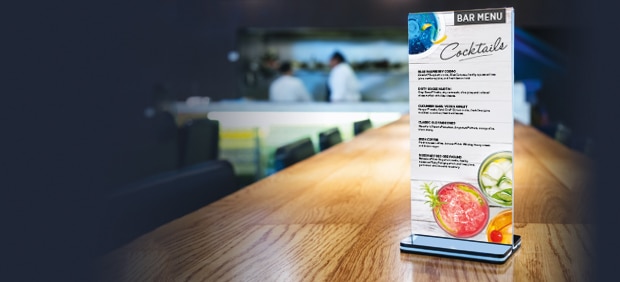
A menu is the only form of advertising that is guaranteed to be seen by your customers. If you’re reading this, you aren’t willing to settle for any ordinary menu. And why should you? With a large variety of paper stocks and custom printing effects available, you don’t have to succumb to standard ink and paper.  Take charge of your menu.  Create a memorable and impactful piece that grabs your customer’s attention. Interested?  Check out our insider’s tips below.

Know How to Fold Your Menu

Seriously? Fold my menu? Is this really your tip? Yes! Folding your menu is actually important! It reduces the size of a menu without compromising the space for messaging. Physically smaller menus are easier to maneuver in crowded restaurants. Folds create small sub-sections within your general menu. Creating a separate panel for appetizers, entrees and desserts draws attention to the fact that your customer may want a starter, main dish and after dinner treat. Folds can be used to steer your customer’s attention in the direction you want. A compact, well designed menu helps your customer navigate through your offerings.

Expert Advice:  Consider the placement of your text and photos when you are designing your menu template. Don’t place text or entrée images over a fold because they will be hard to read.

Standard Folding Options

Half-Fold Menus

A half-fold is a single sheet menu printed on both sides and folded into half. Perfect for menus with two categories such as appetizers and entrées.  You can easily separate your menu into two sections while keeping a front and back cover for your company logo and information.

Half_Fold (2)

Tri-Fold Menus

A tri-fold menu is a single sheet of paper printed on both sides and folded into thirds. They are perfect for a large menu or a menu that offers variety. Tri-folds allow several panels for multiple categories such as breakfast, lunch and dinner options.

Tri-Fold (1)

Don’t Forget Custom Printing Effects

Special Effects encourage your customers to interact with your menu.  They draw your customer in and leave them with a lasting impression about your premium establishment and menu options. Wondering what effect will give your menu the biggest impact? The answer depends what you’re trying to achieve.

Here’s the Skinny:

  Spot UV

  • Use Spot UV to draw your customers attention to a particular item on your menu such as your world famous cheesecake.
  • Gives an image or text contrast so it pops off the paper.  Text or images with Spot UV catch your eye when a menu is tipped back and forth.

  Foil Stamping

  • Adds shimmer and texture to help highlight a specific word or image.
  • For an example, make your business logo stand out with foil stamping.

  Metallic Inks

  •  Special inks with reflective metallic particles.  Metallic inks create a subtle shine and luster you won’t see with standard inks.
  •  Use metallic inks to highlight your company name.  Make menu text pop by using silver ink on a black paper stock.

 Embossing

  •  Creates a raised, three dimensional image.
  •  Use embossing on your company logo to convey your premium market position.

  Die Cut

  •  Allows you to create a unique shape for your menu (Ex. wine bottle, hamburger or surfboard).
  •  A die cut can create a cut out, layered look or special image design on your menu.
  •  For an example, embossing a triangle with an image of a pizza slice helps customers make the unconcious connection between a shape (triangle) and your renowned deep dish pie.

Use SmartFlex® Paper For Tough Menus

Yes, it is a thing and yes, it does exist!  SmartFlex® synthetic paper is water, tear, stain and heat resistant.  It is durable and can withstand spills.   With SmartFlex® you will save time and money because you won’t have to keep printing your menu over and over.

SmartFlex looks and feels much better than lamination AND lasts much longer.

Sound amazing?  Well, it is!

Need help with your print? Talk to a live print expert today: 800-930-7978.
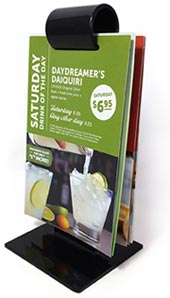
Menus and SmartFlex® – the Perfect Pairing

SmartFlex

One of the main challenges restaurants face is the menu. From deciding which dishes to serve, to the ingredients required to make them, the menu is one of the main drivers of success. While this blog isn’t going to help you choose whether to offer Italian or French cuisine, we’re excited to help with at least one component of menus!

In this article on RestaurantEngine.com, the author identified the menu as the #1 common problem facing restaurants. In addition to sharing some good advice on the breadth of product offerings, there’s solid advice on how to layout and present your menu. In that list:

  • Keep your menus clean – no grease and no food or water stains. Get rid of worn or torn menus.
  • Update your menu and prices at least once a year.

We couldn’t agree more, and we have the best solution for beautiful, durable, waterproof menus. Easy to clean, tear-resistant SmartFlex® is a synthetic paper stock that is a perfect option for modern menu printing.

There are a number of benefits to using synthetic stock for a restaurant menu. With SmartFlex, you can simply wipe off any grease, spilled drinks, or food. The color won’t fade or smear, and you’ll be able to keep your menus clean and ready for the next table you seat.

The durability of SmartFlex is also a win for the budget-conscious restaurateur. Laminated and plain paper menus will suffer the abuse of diners poorly and end up cracked, ripped, or completely destroyed. You might have to print a few rounds of your menu just to keep up! With SmartFlex, the worst tantrum of a 3 year old won’t tear the paper, and water/soda/coffee/juice will simply wipe right off. There’s no lamination to crack, no paper to warp or fade.

Because synthetic menus are so durable and reliable, you will ultimately save time and money when you need to reprint. Instead of having to scramble to replace your aging stock of laminated, torn menus because they’re just plain worn out, SmartFlex gives you time to plan the newest versions. Your SmartFlex menus will continue to do hard duty in customer hands, and you won’t need to do any costly rush print runs to cover the gap.

In high volume, high traffic environments, it’s easy to lose more than a few menus to the hustle and bustle of patrons, overzealous bussers, and spills. For those of you with that kind of traffic, synthetic menus would be a great choice to keep your food and drink options in front of your customers in vibrant, durable color.

With the new year approaching, it’s time to rethink your menu options. Need help with your print? Talk to a live print expert today: 800-930-7978 or check out our menu page for sizing and custom printing options.

Measuring Marketing Success for a Small Business

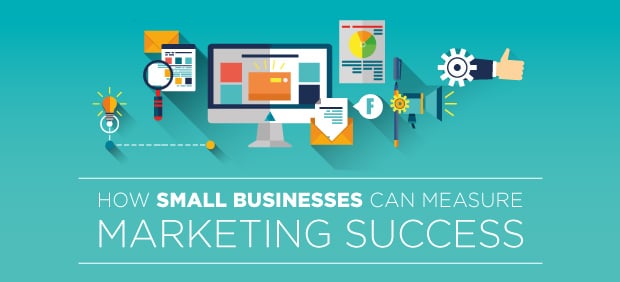
Measuring_Marketing_Success_HEADER_11022016 Small businesses depend on marketing just as much as large businesses, maybe even more – even when they’ve become a household name in their local area. How do you track marketing success? How do you get insight from marketing failures? This is a challenge for every business, but it can especially daunting for a small business that can’t afford to hire marketing specialists.

Here are some tips for getting small businesses marketing plans running smoothly, and providing you with real metrics that drive results.

Learn What to Calculate and Why

Before you can dig into figuring out how to grade your marketing performance, you have to know what to measure and why. At the end of the day, the only number that matters is cash – how much sweet, sweet revenue did you make? But marketing metrics can tell you a lot more about the health of your business, and sometimes the numbers aren’t as straightforward as you think. Dive into this alphabet soup and see what you should be monitoring.

LTV. Life time value – this is how much money you earn from an average customer over the course of their entire business cycle with you. Do you have repeat customers? Ongoing subscription plans? How long do these customers, on average, keeping coming back? Crunch the numbers and figure out how much you make from a customer over their lifetime.

CAC. Customer Acquisition Cost – or CAC – is one of the most important metrics to track. It is easy to calculate too, just add up all of your marketing expenses over a time period including salaries and overhead, and divide it by how many new customers you acquired. Compare your CAC to your LTV – the LTV should be at least 3x higher for successful marketing. For example, if you spend $100 to acquire a customer, but on average they spend $500 with you – that’s some great marketing.

NPS. Net promoter score – this is a measure of how willing your customers are to talk about and promote your business. This number can be negative – that’s really terrible. If your NPS is above 50% you are doing an amazing job. Most companies have an NPS score of around 25-30%. Here is some advice on calculating your NPS score.

Digital Engagement. This category covers different scores such as time on page (how long a customer stays on your page), to email open rates, to clicks on paid click ads. This is an easy way to measure if people are using your website, opening your email, or clicking your offers. If you are doing digital marketing (and you should!) the tools you use should provide ways to monitor digital engagement.

Attribution. Attribution measures how much a specific touch, ad, email or direct mail send moved the customer closer to buying. Attribution is incredibly hard to measure and everyone seems to have a different opinion on how it works. Despite that, it is important that you try to calculate it because even the attempt at figuring out your attribution will help you. Soon you’ll be thinking about your marketing efforts in different terms. Here is some info on measuring first and last touch marketing attribution.

Of course there are a lot more metrics you can target but these will get you started.

Start With Digital Marketing

Digital marketing includes a range of tactics, from posting to your blog to advertising on Facebook. Though each of these options are very different, they all make tracking real-time engagement easy.

There is a giant pile of tools, solutions, and apps out there that can help a small business track marketing efforts. For a small business just getting started with tracking their marketing, digital channels make it easy to dive in and start doing the math. Start with these tools:

  • Mailchimp is the gold standard in free and low-cost email marketing platforms. They offer easy to use reporting tools for email campaigns and great technical support, how-to guides, and forums.
  • Google Analytics is used by just about every company with a website to track every possible metric for a website. Large marketing teams will have specialists dedicated just to this program, but you can still learn how to use its basic features and they will be enough to give you insights into digital marketing.
  • Hubspot has great, free resources for all things marketing related, check out their Excel templates for tracking marketing metrics.
  • Built in tools for social platforms – Facebook, Twitter, Hootsuite and more offer ways to monitor your clicks, tweets,

Keep Records Updated

Keep your records accurate. Update all of your metrics at least once a month and if you can, use a tool to help you automate your marketing reports. Enterprise level marketing automation programs may be out of your reach, but with some clever spreadsheets and elbow grease, you can keep accurate data throughout the year.

Compare your results to your marketing plan, but don’t be afraid to change your idea of success. Maybe you’re falling behind on revenue goals, obviously that isn’t good. But what if you find social media efforts are paying off and you’re adding new followers? Should you stop putting money and effort into Twitter? It may make more sense to test ways to make Twitter a revenue generator.

Keeping accurate, timely records won’t just show you where you’re failing, but where you’re succeeding behind your own back.

Weight and Score Your Touches

In a typical campaign you may send a customer an email, a coupon in the mail, and then send them a Facebook ad if they’ve followed you. You should weight and score each of these send. How you do this is more art than science, and will change as you do more and more marketing. In this example, you could weight the email as being cheap, fast, and easy to duplicate.

If people are responding it it really well, clicking through and reading the site you direct them to, then you can score it highly. The direct mail coupon is going to be expensive compared to the email, but maybe not as expensive a Facebook ad. Measure these differences and give yourself a scoring system that works.

End with a Digital Strategy

There is a whole world of marketing outside of digital channels, and they’re often way more expensive than sending an email or paying for a Facebook ad. They’re also harder to track, but driving customers back online leverages the power of digital reporting. Big companies pay big bucks for special software to get this sort of functionality, but you can mimic these tools by making your calls to action point back online.

If you use a printed piece to advertise your business, make the call to action feature your URL. If you send coupons, make them redeemable online. Use unique coupon codes to tag and track where your customers are coming from.

There are plenty of online resources to help you learn more about marketing, reporting, and metrics. They’re complimented by tools that can help you build reports. They can give you clear, actionable insight into your marketing. They help you learn from success and failure. 

Need help with your print? Talk to a live print expert today: 800-930-7978.
Plastics and Printing

Plastics and Print

We’ve added some real innovations to the printing industry in our 20 year history, and one that we’re really proud of is SmartFlex® paper. This is a synthetic paper that is made from plastic but has the same look, feel, and properties (well, the good properties) of regular wood-pulp.

We developed this paper stock and put it to use printing anything that needs to look perfect, but still be perfectly indestructible. How tough is SmartFlex? Well, here is a list of its superpowers:

  • It can’t be drowned – totally waterproof, your printed materials can go for a swim.
  • It can’t be torn – incredibly tear-resistant, you can’t accidently tear the edges of SmartFlex prints.
  • It’s always looks great – stain-resistance means coffee can’t harm it, making SmartFlex a great choice for menus.

Obviously, we love SmartFlex and we’re proud to bring innovation to the printing landscape. We also know how to print on plastic paper, winning tons of awards for our quality and customer service, but SmartFlex is just the tip of the plastic iceberg. There’s a whole world of plastics to explore.

Plastic Cards

Stand out with a plastic business card – perfect if you’re the sort of person that works on or near water or the outdoors. You can use affordable plastic cards to create your own membership cards, renewal cards, and personal entry or data cards. Think items like magnetic strips, barcodes, and personalization is out of your budget? Think again!

Take a look at plastic cards for a variety of uses if you’re exploring new marketing options. They can be added to direct mail sends or other printed pieces where they form a very official, tangible centerpiece. Plastic cards have an air of authority and can boost others’ perception of your company.

Menus and Brochures

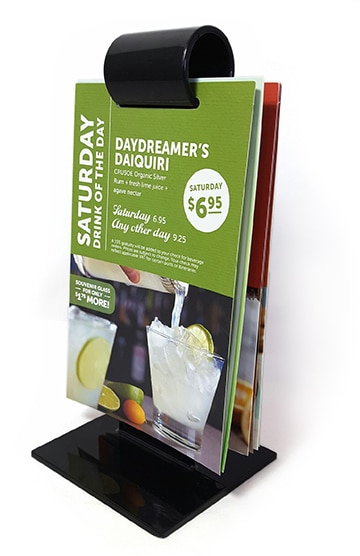
Plastic paper like SmartFlex® really shines when it is used in a food and beverage environment. The plastic paper comes in different weights (sorta like thickness) that can be folded into familiar (or unique) menus. Just like regular paper, you can get SmartFlex in a variety of finishes and coatings – but no matter what you choose, you’re going to benefit from the waterproof and stain-resistant superpower of plastic paper. Not to mention, it’s basically indestructible so your customers won’t be banging up your menus, leaving them looking dingy and grubby.

Brochures, maps, and field guides are all great options for synthetic paper.

SmartFlex_Drink_Menu

Hang-tags

Hang-tags cover a range of items, from door hangers that can be used as marketing materials to ID or parking badges for hanging in, or on, a car. Hang-tags are often exposed to the elements and need to be protected from the weather. Plastics are a great idea, and if the plastic is coated with any type of protective coating, such as a matte finish, it will help reduce the effects of light fading the ink over times.

Thick Outdoor Plastics

Sometimes you need to go big or go home. The thickest types of plastic we print on is called Styrene. Made from composited layers of plastic, this material comes in a range of sizes and is so thick it can’t be folded, but it can be die cut and it prints very well. This rugged material can be used in outdoor promotional materials, window cards, lightbox signs, bus stop advertisements and anything that needs to take a serious beating.

Special Effects and Plastics

Because of the special way plastic reacts to ink, there are some printing effects that can’t really make it into plastic printing.

  • Pantone colors, or spot color can’t usually print on plastics (it would make them way too expensive).
  • Metallic foil doesn’t work well on plastics.
  • Embossing plastic cards, like a business card, is really only possible if you do a special font and restrict the embossing to just number and letters – perfect for something like a credit card, but you can’t emboss your logo.

Some effects look really, really good with plastics.

  • Plastics can fold very well, if they’re not too thick.
  • Die-cut plastics look fantastic.
  • Special UV effects and metallic foil tend to pop on plastics.

Plastics are an exciting new world for printing. Plastic printing is functional, beautiful, and plastics are completely recyclable. We are leading the industry in plastic-based papers.

Need help with your print? Talk to a live print expert today: 800-930-7978.
Get Your Printing Done in Time

BLOG_dont_hold_HEADER_09142016

It’s the holiday season – and that means notecards, coupon mailers, and holiday thank-yous are going to be flooding mailboxes. If you’re planning on mailing printed pieces, you might already be under the gun with a looming deadline. To get your printing done in time, you have to plan for proofing, production, and mailing. We’re going to break it down for you so you can work with your printer (like us, because obviously we’re the best) to meet your deadline.

Print Production Schedules

Before you can start mailing something, you need to get it printed. Depending on what you’re printing this could take time. Typically you’re looking at 4-6 business days to turn around most print projects.

Of course, some projects get done much quicker and others take a lot longer. If you’re adding a lot of custom effects, especially effects that require a plate to be made (a plate is a custom rubber or metal plate used in printing), your set-up time could add another day into the estimate.

You can make the process go faster if you keep these points in mind:

  • Provide final artwork in the right format. This means using the correct color space (usually CMYK or Pantone), the right resolution (usually 300 dpi or higher) and the correct size. This will save you back-and-forth with your printer and will make sure your proof is that much better.
  • Always insist on a proof. A good printer will send you a proof as part of the print job, but if they don’t or if you’re even a little unsure, insist on a proof every time.
  • Check typos and errors before you send the final pieces to the printer. Really go over it with a close eye – retooling a print job can cost you days.

Mailing Schedules

A mailing timeline could take 4-5 business days, after production. Of course this can change dramatically depending on how you’re sending the materials through the mail. The following assumes the artwork for the printed piece is fully approved and the printing presses are about to kick on to print the final piece.

  • Bulk rate is the slowest but cheapest way to mail your printed materials. This option is great for huge orders – over 500 pieces – but takes about 4 weeks from the day your order is placed until the first pieces start to arrive in the mail.
  • Presorted first class mail is the next fastest choice, shaving about 3-4 business days off of a bulk rate’s total time. This type of mailing has requirements on the size, shape, and weight of the mailed piece. It is designed for postcards, envelopes and notecards – perfect for most holiday sends but not boxes or heavy objects.
  • First class mail is the fastest way to ship your print, as you may have suspected it is also the most expensive. It can reach customer’s hands within 6 business days after your order starts production. On average it is about 5 cents more expensive per mailer than presorted first class. The same size and weight limits apply.

Here’s a calendar for a typical production schedule.

Cost to Mail

It can get pricey to send a lot of marketing through the US Postal Service. To reduce cost you may want to consider using the Every Door Direct Mail (EDDM) service. EDDM is a service that allows you to send direct mail to every household in a specific geographic region. You can target a zipcode or specific routes and the post office sends your mailer to every house on the list.

You don’t need a list of addresses – the mail just goes to the homes in the area. This service usually has pretty cheap rates, though it can add some time to your overall delivery dates. Learn more about EDDM here.

There are tight deadlines for getting your printed materials into your customer’s’ hands and with the holidays approaching you shouldn’t wait. If you want to get something in their hands in time for Black Friday, for example, you should be hitting production no later than the middle of October.

Need help with your print? Talk to a live print expert today: 800-930-7978.
Use a Postcard Mailer to Get More Voters

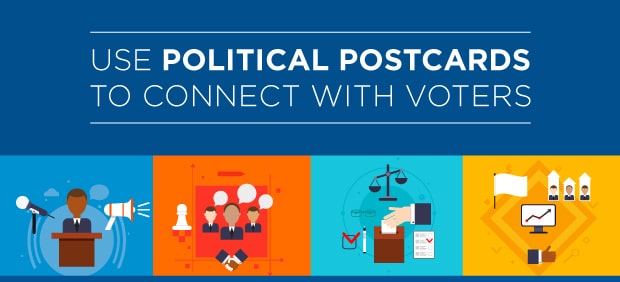
Political_Postcard_HEADER_08182016 It’s the homestretch to the voting booth and if you’re on a political campaign or running for office, then you’ve got to start leveraging every channel to get your message out there. Obama won both elections in large part due to his online savvy, and you should certainly focus efforts on building a robust, smart, targeted digital campaign, but even today there’s room for getting attention with a political flyer. People are already keyed into the election cycle, and you can’t get away from talks about the presidential campaigns. Leverage that top of mind influence to get your own message out there.

Political postcards are a great addition to your campaign. They are affordable, can leverage the US Postal Office’s special Every Door Direct Mail (EDDM) service to reach people in a local area and they can easily connect the dots between physical and digital marketing.

Tips for Making the Best Political Postcard Campaign

We’ve been printing political mailers for local and national politicians for over twenty years. We’ve seen some really great political postcards and we’ve seen some that should have never been inflicted on mankind. Here are some of our tips on how to make a great political mailer.

Use a Graphic that Stands Out

If you can afford a graphic designer with your campaign funds, don’t hesitate to hire one. They are worth the money, helping you design a catchy image, logo, or general design that will get your message out there.

On a political mailer, use a striking, memorable image. That doesn’t mean gaudy or cheap. Political designs are moving toward more modern looks – all the major candidates in the last decade have been using simple, flat designs. Your political mailer should heavily feature your branding and logo.

When to Use a Photograph of the Candidate

It isn’t always a great idea to use the candidate’s actual photograph. If you aren’t getting on television, or already featuring your actual image in billboards and commercials then you don’t gain a lot by putting your face on a political mailer – you aren’t reinforcing any ideas. Spend that space on your message.

On the other hand, if you’ve a look that is unique and resonates with your voters – why not play it up? Managing your personal image is something best left to campaign managers but know that it’s OK to not include your face – voters care about message more.

Make Your Message Stand Out

Reduce your message to the primary components that make you the best choice. Depending on your area, that may mean you launch an attack on your opponent or you stick to your own ideas. Whatever you choose to do, make sure your message is short, actionable, and easy to read on the postcard. Tell them why you want their vote. Make the messaging about them, not you.

Avoid putting text over complex images. Don’t use colors that hide the copy – make it bold and easy to read. Make it short – postcards can almost guarantee they’ll be read but the message has to be concise

Voting Information

Great political mailers always include info about when voting starts. This is valuable information for the voter, and if you can be useful in a postcard you’re likely to keep their attention.

Plan for the Label and Stamp

Don’t forget to plan for the label and stamp! Your message won’t work if it’s under an address label. Use a great blank postcard template for Word to design your card properly.

Give Them A Call to Action

Usually the call to action is to get out and vote – but that may be months away! Give your reader a chance to participate in your campaign today. Give them a call to action that drives them to your website, to your phone lines, or somewhere else where they can take real action to help you. Postcards are great because they can deliver a call to action boldly and without any interference. Use it! Why not drive them to your website to add them to your digital marketing and outreach efforts?

Don’t Forget Your Disclaimer

Political postcards need disclaimers. Check with your local ordinances, campaign legal counsel or others to figure out exactly what you need to say, but don’t forget to account for disclaimers in your design.

Use a Political Mailing Service

If you want to save the time, hassle and headache of sending these postcards out on your own, consider using a political mailing service to manage the mailing to hundreds or thousands of constituents.

Need help with your print? Talk to a live print expert today: 800-930-7978.
  • « Go to Previous Page
  • Page 1
  • Interim pages omitted …
  • Page 26
  • Page 27
  • Page 28
  • Page 29
  • Page 30
  • Interim pages omitted …
  • Page 48
  • Go to Next Page »

Footer

Printing for Less

info@printingforless.com
100 P F L Way, Livingston, MT 59047

800-930-2423

  • Home
  • Products
  • Services
  • Industries
  • Get Printing Samples
  • Direct Mail Marketing Resource Center
  • Printing Resource Center
  • Blogs
  • Templates
  • Terms & Conditions
  • Contact
  • About Printing for Less
  • Careers
  • Login

Copyright © 1998-2026 PrintingforLess.com. All Rights Reserved.

logo
  • 800-930-2423
  • Products
  • Direct Mail Marketing
  • Services
  • Industries
  • Direct Mail Marketing Resources
  • Printing & Mailing Resources
  • Get a Quote
  • Contact Us
  • My Login
Direct Mail Delivery
This field is for validation purposes and should be left unchanged.

Get 20% Off*

Your First Print Order

Name(Required)

*By subscribing, you agree to receive weekly emails from Printing for Less. Some exclusions apply. See details.