My Login
Business Card Size Specifications
Printing for Less also offers business card printing and design services. We’ll take care of the details and design so you don’t have to!
Once you know the standard dimensions to use, it’s easy to produce a professional-looking business card using whatever software tools you have on your computer. You can start from scratch in any layout program, including Microsoft Word, Publisher or PowerPoint as well as traditional graphics programs such as Adobe Photoshop and Illustrator. You can also get a fast start by using customizable templates provided by services such as Canva or you can download business card templates from our expert designers.
Business Card Size and Setup
The standard dimensions of a printed business card are 3.5 x 2 inches. That’s the finished card size.
Many printed designs include bleed. The “bleed area” is an extra 1/8 inch of space for design elements or backgrounds that extend beyond the finished edges of your card. A business card design with bleed is printed slightly oversized and then cut down to size, giving the appearance that the printing “bleeds” off the edge of the card, rather than having white borders.
When creating your business card design file, use these sizing tips:

- Make the document page size equal to the card size plus the bleed area, or 3.75″ wide x 2.25″ high, to be trimmed down to the finished size after printing. If you aren’t planning to include bleeds, the bleed area isn’t necessary, so set the document size to the finished size, 3.5 x 2 inches.
- If you’re designing a vertical card with the long size up, simply switch the page width and height so you won’t have to rotate the card to see the design the way you intend it.
- In the metric system, the standard business card size is 8.9 x 5.1 cm (centimeters) or 88.9 x 50.8 mm (millimeters).
Play it Safe Near the Borders
Because cutting may vary ever so slightly, it’s a good idea to keep all of your valuable text and logo information within the design safe zone. This zone is the 1/8 inch around the margin of your card. Make sure your text is within the 3.25 x 1.75 inch area of your card. You wouldn’t want to have the last digit of your phone number trimmed off!
Designing with borders can be tricky. Thin borders outside the safe zone that are less than 1/8th inch thick may not trim evenly. To avoid an “off-center” look, keep border lines or other thin lines away from the edge of your business card, within the safe zone.
Two-Sided Business Card Sizes and Custom Business Cards
Using double-sided business cards is a good idea when you need more space to work with or want to provide a special offer or extra info about your company or product. Create a separate page in your file for the back side, keeping each page with the size specifications above. There are many options available for commercial printing of custom business cards including round corners and custom printing effects. Our team of print experts can help you with some of the technical aspects of using these effects. Send us your file and we can give you advice on how you can enhance and improve the design to stand out from the crowd.
Request a Quote to get a price on custom options.
Sample Custom Business Card Designs
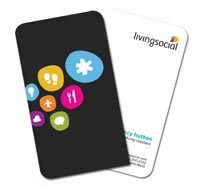
Round Corners

Plastic Cards
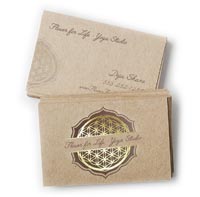
Foil Cards

Embossing
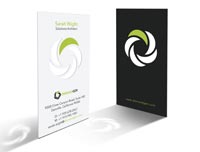
Die Cutting
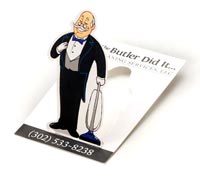
Die Cut Popup
Folded Business Card Sizes
 Another popular option is a custom folded business card or tent card. At twice the printable area of a standard business card, they can be used as handy mini brochure or greeting card. For folded business cards, set your file size to 3.75 x 4.25 with bleed, or finished size of 3.5 x 4 without bleed. Create two pages in your file, the first for the outside (front and back) of the card, the second for the inside. For both vertical and horizontal cards with long, short and offset fold layout specifications, see our Folded Business Card Templates with Design and Layout Instructions for examples and downloadable free templates.
Need advice or help with your business card design or layout?
Give our helpful printing experts a call at 800-930-2423, or