My Login
Brochure Templates and Folds
Brochures and flyers provide a proven way to showcase your products and services. With the right layout and fold, a simple piece of paper can transform into an interactive customer experience. Whether for a mailing piece, tradeshow materials or a sell sheet, brochures can tell the story of your business and your brand. Folding options can complement the design aesthetics and boost your results.
Sizes for Different Brochure Folds: How to Fold it Right, Every Time
Designing artwork to use folds correctly can be a mathematical challenge without the right tools. Printing for Less is here to save the day! Use the following brochure templates to ensure your brochure folds and measurements are accurate. By taking folds into consideration up front, you can plan the content of your piece for the best impact.
Let’s take a look at some of the most established and frequently used folds:
Tri-Fold Brochure Sizes
A common size of most tri-fold brochures when they are opened or flat is 8.5″ x 11″, or a normal letter format. Other popular sizes are 8.5″ x 14″, 11″ x 17″ and 11″ x 25.5″. When using a tri fold brochure template, keep in mind that each individual panel is slightly different in width, with the “cover” panel being the largest (widest), to accommodate the other two panels that will fold inside. It allows for the other folds to tuck up neatly, ensuring a crisp finished product.

-
Tri-fold brochure templates:
- 8.5 x 11 Tri-fold Outside, Inside, Both zipped
- 8.5 x 14 Tri-fold Outside, Inside, Both zipped
- 11 x 17 Tri-fold Outside, Inside, Both zipped
- 11 x 25.5 Tri-fold Outside, Inside, Both zipped
Half-Fold Brochures
The simple half fold, while basic in design, gives you an easy to open, “book style” fold. This fold is just right for often-used menus, programs and pricing sheets.

-
Half-fold brochure templates:
- 8.5 x 11 Half Fold
- 8.5 x 14 Half Fold
- 11 x 17 Half Fold
Accordion Fold Brochures
This type of fold usually has two or more parallel folds that result in the sheet opening like a fan. The smallest version is also known as the Z-fold. Brochures are a great use for an accordion fold, especially 4 panel legal size brochures, and many types of maps use this fold as well, since a large number of panels can be folded in, accommodating a larger paper size and ultimately a lot more information in a standard finished size. Accordion folds are a great way to incorporate many different products or services and can have several panels. Our team can help you put together a template for custom sized accordion folds.
Z Fold Brochures
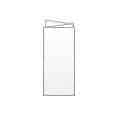
A Z-fold is a three-panel accordion fold represented by “back and forth” folds into three panels. As the name implies, with a z-fold brochure the paper is folded in alternating directions; when you look at the end of the folded piece, the namesake “Z” will appear. A Z-fold is a great choice to display chronological or step-by-step information, or with a design or image that spans the entire width of the paper; when opened, the z-fold “reveals” the brochure content well.
-
Z-fold and accordion fold brochure templates:
- 8.5 x 11 Z-fold Outside, Inside, Both zipped
- 8.5 x 14 Z-fold Outside, Inside, Both zipped
- 11 x 25.5 Z-fold Outside, Inside, Both zipped
4 Panel Fold (or Double Parallel) Brochures
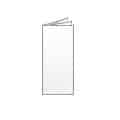
A 4 panel fold is created by folding the paper in half, then half again so that the folds are parallel to each other. This is done going from left to right, with the open end on the right-hand side of the folded brochure. The end product is a narrower piece, which is perfect for displaying information in tighter locations, such as tourist racks or information centers.
-
4 Panel fold brochure templates:
- 8.5 x 14 4 Panel fold Outside, Inside, Both zipped
- 11 x 25.5 4 Panel fold Outside, Inside, Both zipped
Quarter Fold Brochures
A quarter fold creates four “quarters” or panels of equal size where the folds are perpendicular to each other. Start by folding in half vertically then folding in half again horizontally. Also known as “right angle fold” or “french fold.” The quarter fold on an 11″ x 17″ brochure creates a convenient 5.5″ x 8.5″ finished size for mailing.
Gate Fold Brochures
While not as common as other folds, the (open or closed) gate fold offers a convenient finished size with a unique format when opened, revealing your design similar to two doors opening. In both open and closed gate folds, the left and right edges fold inward, and these edges meet in the middle of the page without overlapping. To create the Closed Gate Fold, the paper is then folded again down the middle, so that the folded edges meet. Menus and creative designs with wide visuals, such as architectural layouts and landscape images are well-suited for gate folds.

-
Closed gate fold brochure templates:
- 8.5 x 14 Closed Gate Fold Outside, Inside, Both zipped
- 11 x 17 Closed Gate Fold Outside, Inside, Both zipped

-
Open gate fold brochure templates:
- 8.5 x 11 Open Gate Fold Outside, Inside, Both zipped
- 8.5 x 14 Open Gate Fold Outside, Inside, Both zipped
- 11 x 17 Open Gate Fold Outside, Inside, Both zipped
Half / Tri-Fold Brochure Sizes
This fold is perfect for newsletters. This is a great way to accommodate a larger sheet, in this case an 11″ x 17″, and fit it into a #10 envelope. Good uses for this fold would be city maps, real estate offerings and manufacturing product sheets, rich in content, specs and photos.
-
Half then tri-fold brochure templates:
- 11 x 17 Half/Tri-fold Outside, Inside, Both zipped
Brochure Folding: More Than Just Angles
Folding is not just angles and lines, creases and edges. It accomplishes several distinct things: it efficiently reduces the overall size of your flat sheet while still keeping all of the available “real estate”, it utilizes the fold of choice to emphasize your design style in the best way (think of a gate fold for a crossover image) and it is interesting from a tactile and visual sense-something a flat sheet just can’t convey. Take the time to review different folds, talk to your printer for expert advice, and don’t be afraid to experiment. Find out what catches you customers’ eye, and make your brochure stand out from the crowd—your business will thank you!
Need Help with Brochure Templates?
Didn’t find the template you need? Give our helpful pre-press experts a call at 800-924-2041.